Table of Contents
Open Table of Contents
- Overview
- The RAM You Paid For Isn’t Fully Yours
- Android’s Memory Management Is Inconsistent By Design
- Bloatware Is Eating Your RAM Right Now
- Storage Speed Is the Variable Nobody Mentions
- The “8GB + 8GB Extended RAM” Scam
- Thermal Throttling: The Lag That Starts 10 Minutes In
- Software Updates Make It Worse Over Time
- Real-World 8GB RAM: How It Actually Varies
- What You Can Do Right Now
- Does 12GB Actually Solve It?
- FAQ
- The Real Problem
Overview
A friend of mine — works in IT, not a tech novice — bought a mid-range Android phone last month. 8GB RAM, respectable chip, decent reviews. Two weeks later he was watching Instagram reload every time he switched apps. The camera lagged. The app switcher stuttered.
He went back to the store. The salesman told him he should’ve gotten the 12GB model.
That advice is technically true and completely wrong at the same time.
Because 8GB RAM in 2026 should be enough. For WhatsApp, YouTube, Chrome, Spotify — it should handle all of that without drama. The fact that it often doesn’t isn’t a RAM problem. It’s a system problem. And until you understand where the lag is actually coming from, you’ll keep buying bigger numbers and wondering why nothing changes.
The RAM You Paid For Isn’t Fully Yours
When your phone says 8GB, that’s total physical memory. The moment it boots, the OS kernel, system services, always-on processes, and pre-loaded manufacturer apps move in immediately. On most Android skins, that’s 1.5GB to 2.5GB gone before you open a single app.
Your “8GB” phone is working with roughly 5.5–6GB of usable RAM in real life. That’s not a defect — that’s how operating systems work. But it means the headroom is already tighter than advertised before you’ve done anything.
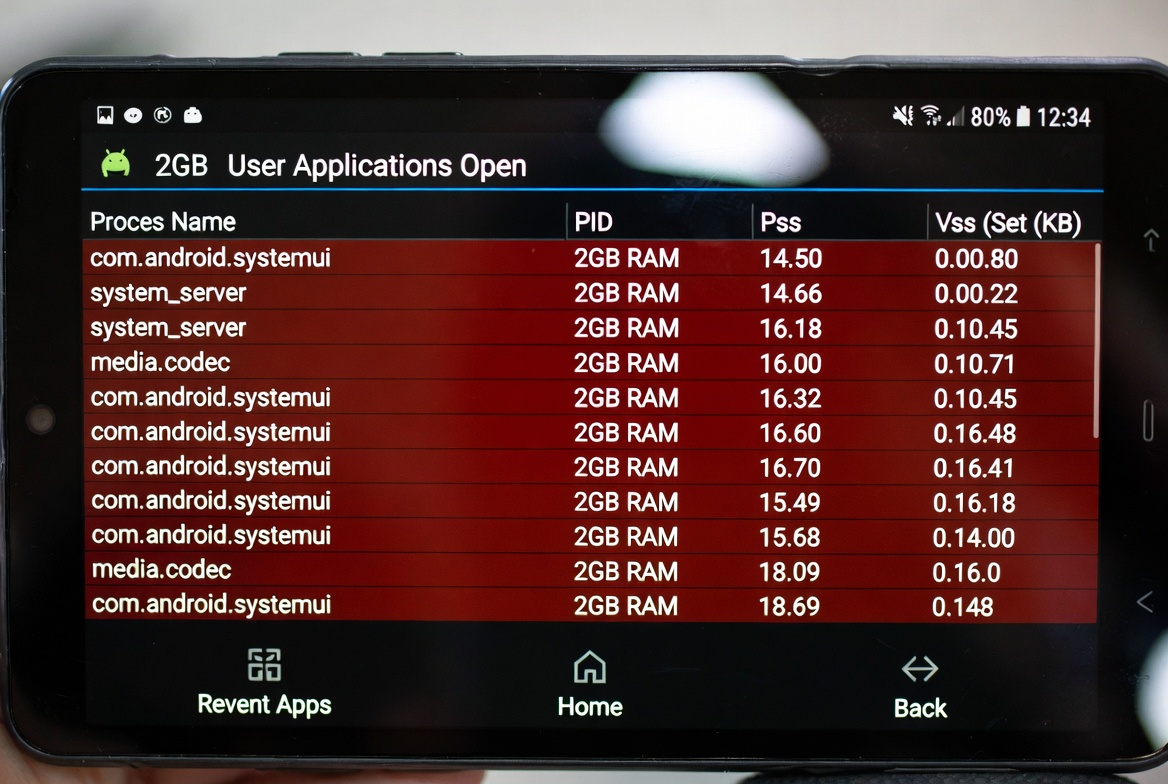 Over 2GB consumed at idle. This is before you open Chrome, Instagram, or anything else.
Android’s Memory Management Is Inconsistent By Design
Android uses a system called the Low Memory Killer (LMK) to decide what stays in memory. When RAM fills up, it kills background apps ranked by priority. Clean in theory. Chaotic in practice — because every manufacturer tunes it differently.
Some are too aggressive. They kill apps the moment they leave the foreground to “free up” RAM — which is why your apps reload even when you have memory to spare. Others are too lenient, letting processes stack up until the UI chokes.
This is why two phones with identical specs can feel completely different. Software is doing the real work here, and the quality of those software decisions varies wildly across brands. Samsung’s One UI handles this reasonably well. Stock Android on a Pixel handles it well. Generic or heavily skinned Android — common on budget and lower mid-range devices — often handles it poorly.
Same RAM. Different experience. Every time.
Bloatware Is Eating Your RAM Right Now
Here’s something manufacturers count on you never checking.
Pre-installed apps — manufacturer app stores, “health” dashboards, ad frameworks, analytics services — run constantly in the background. Most of them you can’t fully close. Some you can’t disable without root access.
I checked a popular mid-range phone last year and found 17 background processes running that the user had zero control over. On a phone already working with 5.5GB of usable RAM. That’s not a hardware limitation. That’s a choice the manufacturer made — at your expense.
Bloatware is where a significant chunk of your lag lives. Not in the spec sheet. Not in the RAM number. Right there, in the running services list most people never open.
Storage Speed Is the Variable Nobody Mentions
When RAM fills up, Android uses storage as overflow — swapping data in and out through zRAM and virtual memory. How smoothly that works depends entirely on how fast your storage is.
Phones with UFS 3.1 or UFS 4.0 storage handle swap gracefully. You might not even notice it happening. Phones still shipping with eMMC storage — which in 2026 is genuinely inexcusable — handle it badly. The swap is slow. The stutter is obvious.
And here’s the uncomfortable part: budget and some lower mid-range phones are still shipping with eMMC in 2026 to cut costs. The RAM spec gets the headline. The storage type is buried in the fine print, if it’s listed at all.
| Storage Type | Read Speed | Write Speed | Common On |
|---|---|---|---|
| eMMC 5.1 | ~300 MB/s | ~150 MB/s | Budget phones |
| UFS 2.2 | ~600 MB/s | ~300 MB/s | Mid-range |
| UFS 3.1 | ~1,200 MB/s | ~500 MB/s | Upper mid-range |
| UFS 4.0 | ~4,200 MB/s | ~2,800 MB/s | Flagships |
Check the storage spec before you buy. If the listing doesn’t mention it, treat that as your answer.
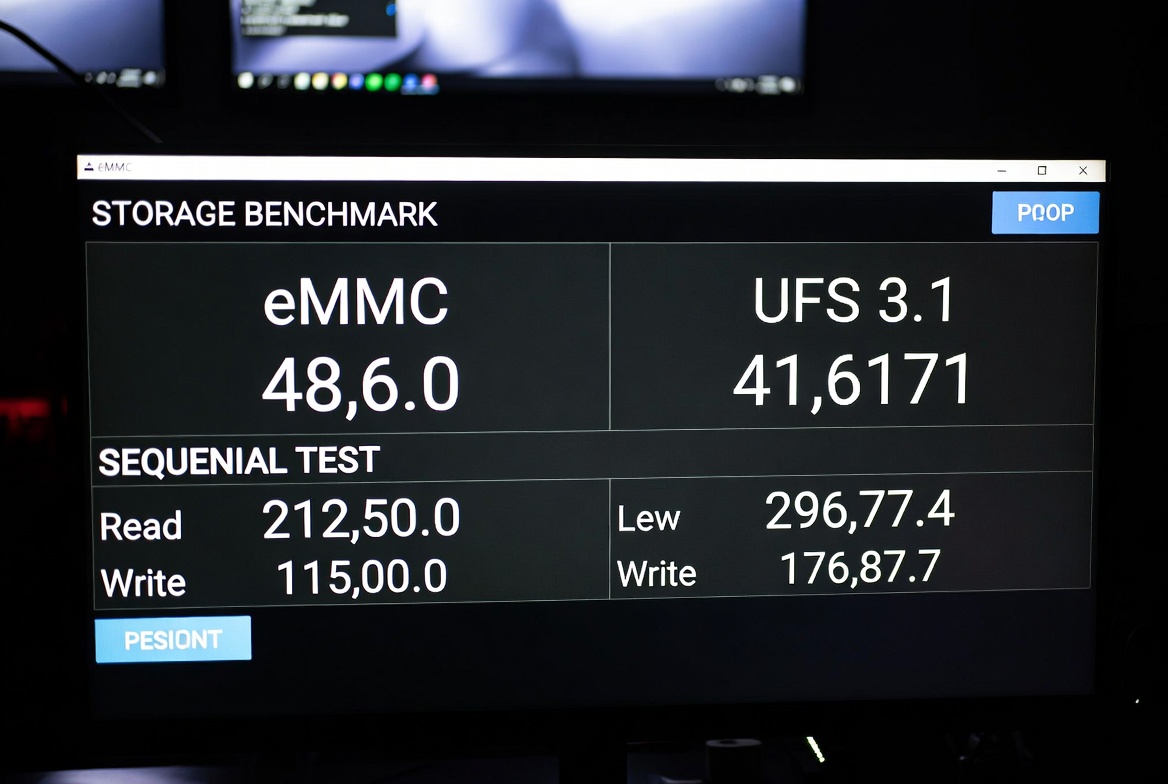 Same RAM. Different storage. Very different experience the moment the system is under pressure.
The “8GB + 8GB Extended RAM” Scam
This one needs to be said plainly.
You’ve seen it on listings — “8GB + 8GB Extended RAM.” Brands popular across Nigeria and the wider African market push this feature hard. It sounds like you’re getting 16GB of RAM for a mid-range price. You’re not.
Virtual RAM — also called Extended RAM or RAM Expansion — is just storage space designated to act like RAM. The phone borrows gigabytes from your internal storage and uses them as overflow memory. The speed difference between real RAM and virtual RAM is enormous. Actual LPDDR5 RAM operates at roughly 6,400 MB/s. eMMC storage writes at around 150 MB/s. You’re not adding memory. You’re adding the illusion of memory.
In practice, apps sitting in virtual RAM take noticeably longer to resume. The phone feels “full” even when it technically has headroom. And if your storage is already half-full or fragmented, the virtual RAM performs even worse — because it’s pulling from an already congested drive.
This is the same illusion I broke down in the Redmi Note 14 review — where the spec sheet tells one story and daily use tells a completely different one. Don’t let the “8GB+8GB” line on a product listing convince you that phone has 16GB of RAM. It has 8GB of RAM and a marketing team.
Thermal Throttling: The Lag That Starts 10 Minutes In
Processors don’t run at their rated clock speed indefinitely. They boost when you need performance, then pull back when the chip gets warm. This is thermal throttling — and it’s a quiet killer on mid-range devices.
Thin chassis, no vapor chambers, minimal heat spreading. The chip boosts for 15–20 seconds, then drops to 60% of rated performance to protect itself. You’re not imagining that your phone slows down mid-gaming session or during a long video call. It’s literally running slower because the heat has nowhere to go.
Flagships invest in vapor chambers and larger heat spreaders. Mid-range phones are often running at their thermal ceiling from the moment you push them. The Pixel 10’s clean software helps it stay efficient under load, but even good software can’t compensate for a chassis that traps heat.
 People blame RAM when their phone slows down mid-use. Often it’s the processor pulling back because it’s overheating.
Software Updates Make It Worse Over Time
Manufacturers love the “4 years of updates” headline. What they don’t say is that those updates are tuned for current hardware — not the aging chip in your phone from 18 months ago.
Android 15 running on a phone designed for Android 13 is heavier. More background services, updated security frameworks, new features the original hardware wasn’t optimized for. The OS doesn’t get lighter with time. It gets more demanding. And mid-range phones, unlike flagships, rarely have the headroom to absorb that gracefully.
This is why a phone that felt smooth at launch feels sluggish by the end of year two. The hardware didn’t change. The software sitting on top of it did.
Real-World 8GB RAM: How It Actually Varies
Same spec on the box. Very different results depending on everything surrounding it.
| Phone Category | Usable RAM | App Retention | Lag Frequency | Main Bottleneck |
|---|---|---|---|---|
| Budget Android (8GB) | ~5GB | Poor — 2–3 apps | Often | Slow storage + aggressive LMK |
| Mid-range Android (8GB) | ~5.5GB | Fair — 4–5 apps | Sometimes | Bloat + software tuning |
| Upper mid-range (8GB) | ~6GB | Good — 6–7 apps | Rarely | Thermal throttling under load |
| iPhone (8GB, A18) | Managed by iOS | Excellent | Almost never | None at this tier |
| Pixel (8GB) | ~6.5GB | Very good | Rarely | Usually none |
The iPhone stands out because Apple has shipped 6–8GB devices for years while Android phones “needed” more — and iOS users rarely complain about lag. That’s because iOS is purpose-built for its hardware with no bloat sitting underneath. Android’s openness is a strength, but execution quality varies enormously by manufacturer. Clean Android is why the Pixel consistently outperforms its spec sheet in daily use.
What You Can Do Right Now
If the phone is already in your hands and it’s lagging, these actually help — in order of impact:
Disable bloatware. Settings > Apps > find manufacturer apps you’ve never used > disable. You can recover 300–500MB of RAM this way immediately.
Restrict background activity per app. Most Android skins let you control which apps run in the background. Use it aggressively on social apps — they’re the worst offenders.
Keep storage under 80% full. Once storage fills up, read/write performance degrades, which hits swap speed directly.
Never use RAM cleaner apps. They kill background processes to show “freed” RAM, then every app reloads from storage the next time you open it. They create the lag they claim to fix.
Reduce animation scales. Developer Options > set all three animation scales to 0.5x. The phone won’t be technically faster, but it will feel faster immediately — and that perception matters.
The full breakdown with more techniques is in my guide on making Android feel fast again.
Does 12GB Actually Solve It?
Sometimes. But less than you think.
Going from 8GB to 12GB improves app retention — more apps stay loaded without reloading. But if the storage is still eMMC, the bloat is still running, the LMK is still poorly tuned, and the chip still throttles — the extra RAM just delays the same problems. You’re adding water to a leaking bucket.
The phones that genuinely benefit from higher RAM are doing heavy multitasking: split-screen, desktop mode, video editing, emulators. If your day is Instagram, YouTube, and WhatsApp — 8GB on a well-optimized phone is more than enough. The same logic applies to storage: most people don’t need 1TB, they just need what they have to work properly.
If a phone needs 12GB RAM just to feel smooth, the problem isn’t the RAM — it’s everything else.
FAQ
Q: My phone shows 5GB free with nothing open. Is something wrong?
No. Your OS and system services take 1.5–2.5GB at boot. That’s normal — what you see as “free” is the actual headroom for your apps.
Q: Is “8GB + 8GB Extended RAM” the same as 16GB of real RAM?
Not even close. Extended RAM is borrowed storage space acting as memory overflow. It runs at storage speeds — far slower than actual RAM. Don’t let that number on a listing mislead you.
Q: Will a factory reset fix the lag?
Often, yes — temporarily. It clears fragmented storage and resets background process buildup. The lag tends to return if the root causes (bloat, full storage, heavy updates) aren’t addressed.
Q: Is 8GB enough for mobile gaming in 2026?
For most titles, yes. CODM, BGMI, and similar games run well on 8GB with a capable processor. The gaming bottleneck is usually the GPU and thermal throttling, not RAM.
Q: Why does my phone slow down after every update?
Updates add background services and features that increase the system’s footprint. On phones with limited headroom, this compounds over time. It’s not a bug — it’s the cost of running current software on hardware that wasn’t built for it.
Q: Should I use a RAM booster app?
No. They make things worse. They clear RAM to show a big number, then every app reloads from storage when you open it — which is slower than if the app had stayed in memory.
Q: Does more storage space make a phone faster?
Not directly — but keeping storage below 80% full does. A nearly-full drive degrades read/write performance, which directly impacts how well your phone handles memory swap operations.
The Real Problem
8GB RAM doesn’t fail because it’s too small — it fails because everything around it is inefficient.
The OS that eats 2GB before you open anything. The “Extended RAM” that sounds like 8GB extra but delivers eMMC write speeds. The bloatware running 17 processes in the background. The storage that bottlenecks every swap. The chip that throttles itself hot after ten minutes under load. The update that added weight to hardware with no room to carry it.
That’s what you’re actually buying when you choose a phone. Not the RAM number. The decisions the manufacturer made around it.
Before your next upgrade: check the storage type, look at the software reputation, read reviews from three months post-launch — not just unboxing day. And if a brand is selling “8GB+8GB Extended RAM” like it’s a headlining feature? You already know what that means.
For a look at what happens when hardware and software are actually designed for each other from the ground up, my iPhone 17 Pro Max real-world breakdown is exactly that comparison.

Comments 0
Leave a comment