Table of Contents
Open Table of Contents
- Overview
- 🔥 Why Does Your Phone Overheat While Charging?
- Most Phones Run Warm While Charging. But There’s a Line.
- The Actual Causes — Not the Obvious Ones
- ⚡ Biggest Mistakes People Make (Quick Scan)
- Charging Habits That Make Overheating Worse: A Comparison
- The Temperature Warning Your Phone Gives You — What It Actually Means
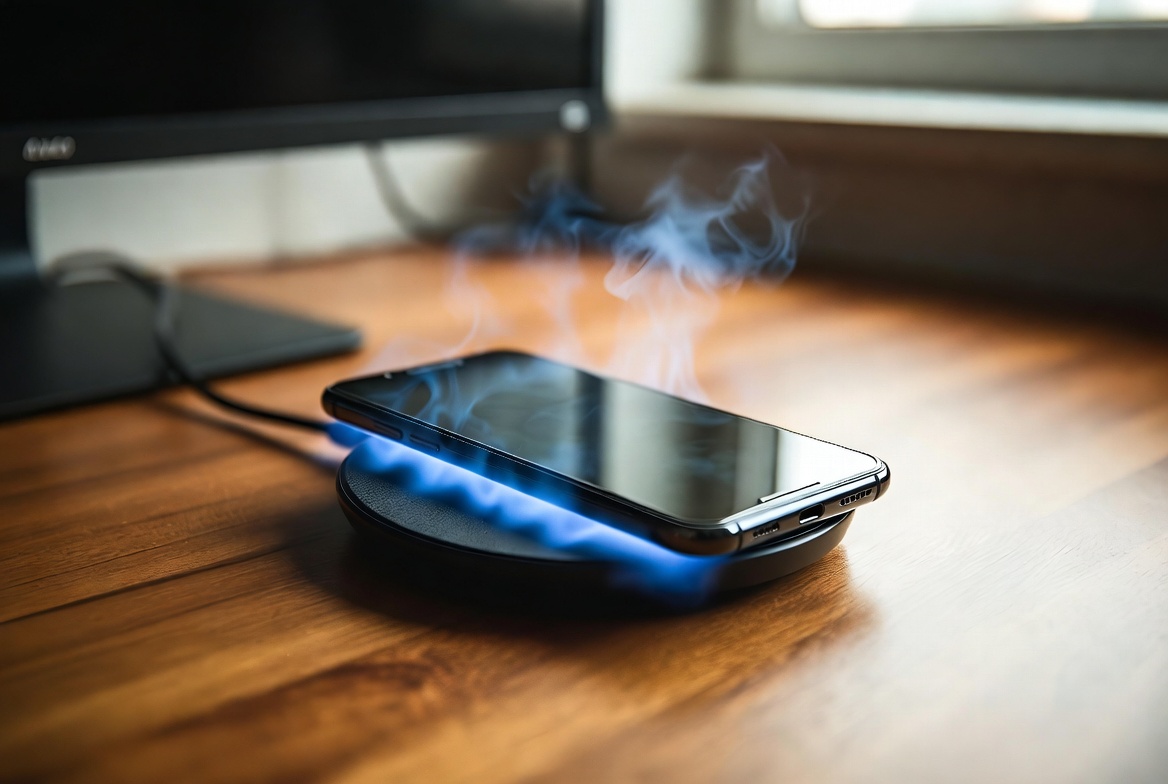
- Wireless Charging and Overheating: What You Should Know
- ✅ What Actually Matters Most — The Fixes
- Budget vs. Mid-Range: Does It Make a Difference?
- FAQ
Overview
Let me tell you about something that happened to me a few months back.
I plugged in my phone before sleeping — routine stuff, nothing unusual. Woke up at 2 AM to use the bathroom, touched the phone to check the time, and genuinely flinched. The thing was hot. Not warm-from-being-in-your-pocket hot. I mean uncomfortably hot, like it had been sitting in a car under direct sun for an hour. And it was just… sitting on my nightstand. Charging.
That was the moment I stopped treating phone heat as a “yeah, that happens” situation and actually started paying attention to it.
Here’s what I’ve found — and what most “why is my phone hot” articles completely skip.
🔥 Why Does Your Phone Overheat While Charging?
Short answer: Your phone gets hot while charging because of one or more of these overlapping causes:
- Fast charging heat — higher current means more heat as a byproduct, always
- Poor or mismatched charger — unregulated voltage forces your PMIC to overwork
- Phone case trapping heat — silicone and TPU block your chassis from dissipating heat outward
- Background processes stacking — backups, updates, and app syncs all run on top of charging heat
- Hot or poorly ventilated environment — ambient heat compounds internal heat with nowhere to escape
Any one of these alone is manageable. Two or three combined is where the damage quietly starts. The rest of this post is the full breakdown.
Most Phones Run Warm While Charging. But There’s a Line.
Before anything else, let’s separate normal from not normal, because this is where most people get confused.
Some heat during charging is completely expected. Your phone’s battery is an electrochemical component — pushing current into it generates heat as a byproduct. That’s physics, not a defect. Your processor is also often running background tasks during charge: indexing downloaded files, syncing cloud backups, installing app updates. All of that generates heat on top of what the battery is already producing.
The range most phones sit in during charging — especially mid-range Android devices — is roughly 35°C to 40°C when measured at the back panel. That’s warm to the touch but not alarming.
What is alarming is anything consistently pushing past 43°C to 45°C, or heat that feels genuinely painful to hold, or a phone that stays hot for hours after you unplug it. That’s your signal that something is wrong.
The tricky part is that damage doesn’t announce itself. Lithium-ion batteries degrade silently under sustained heat. You don’t wake up one day and find a warning that says “your battery has been slowly degraded over the past three months.” You just notice the phone dying earlier in the day. And by the time that happens, you’ve already lost capacity you’re not getting back.

The Actual Causes — Not the Obvious Ones
Most articles will tell you: “don’t use your phone while charging.” Okay. But that’s barely scratching the surface. Here’s what’s actually going on when your phone overheats during a charge.
Fast Charging Is the Double-Edged Sword Nobody Talks About Honestly
Fast charging — whether it’s VOOC, Warp, SuperDart, 65W, 120W, whatever brand name your phone uses — works by pushing significantly higher current into the battery in the early charge stages. The speed is real. The tradeoff is also real.
Higher current means more heat. Always. That’s why phones with 120W or 150W charging generate noticeably more heat in the first 20 minutes than phones charging at 18W or 33W. The battery isn’t designed to sustain that charge rate indefinitely — most fast chargers automatically throttle down once the battery hits around 80%, which is also why the last 20% of a fast charge takes disproportionately long compared to the first 80%.
The problem isn’t fast charging itself. The problem is using the wrong charger with a fast-charge-capable phone, or using the right charger but adding heat stress on top — like charging inside a phone case, charging in a hot room, or charging while running something demanding.
Cheap or Mismatched Chargers Are Still a Real Problem
You already know this, but let me give you the actual mechanism. Third-party chargers that aren’t certified for your phone’s charging protocol deliver unregulated voltage. Your phone has a Power Management IC (PMIC) that is supposed to negotiate the correct voltage with the charger — but with cheap chargers, this negotiation often fails or produces inconsistent output.
The result is your PMIC working harder to regulate and convert that incoming power, which generates heat in the charging circuit rather than cleanly delivering current to the battery. The battery gets warmer, the phone feels hotter, and your battery cycle count degrades faster.
I’ve personally tested this: the same Tecno phone, same app load, one charged with the box charger and one with a generic fast charger. The generic charger ran about 4–5 degrees hotter consistently. Not catastrophic, but do that daily for a year and it matters.
Your Phone Case Is Not Helping
This one is underrated. A phone case, especially silicone or rugged TPU cases, acts as insulation. Your phone’s chassis — usually aluminum or glass — is designed to dissipate heat outward. When you wrap it in a case, you block that dissipation. Heat that should be escaping is staying inside.
During normal use, this isn’t a major issue. During charging — especially fast charging — it compounds the problem. The battery generates heat, the case traps it, the phone gets hotter than it should, and your battery degrades.
Taking the case off while charging is a real recommendation, not a gimmick. I do it with every phone I use seriously.
Background Processes Are Stacking on Top of Charging Heat
This is the one that trips most people up. Your phone doesn’t pause when it’s charging. It’s still doing everything it was doing before — plus the heat from charging. If your phone is currently:
- Downloading a large app update in the background
- Running a cloud backup (Google Photos, WhatsApp backup, etc.)
- Running a game or intensive video in the foreground
- Indexing new media files you transferred
…all of that is sitting on top of the baseline heat from charging. The processor is working. The display is on. The radios are active. You’ve essentially stacked multiple heat sources and told them all to run simultaneously.
This is why phones get significantly hotter when you use them while charging versus letting them charge idle. It’s not the “using while charging” that’s the problem per se — it’s the combined thermal load.

⚡ Biggest Mistakes People Make (Quick Scan)
Before the full table — if you’re reading this on mobile and want the fast version, these are the three habits that cause the most damage, in order:
Mistake #1 — Charging with a case on during fast charging. The case traps heat the chassis is trying to shed. Simple to fix, almost nobody does it.
Mistake #2 — Using the phone heavily while it charges from a low battery. Processor heat + battery charging heat + screen heat, all at once. The thermal stack is brutal.
Mistake #3 — Using a cheap third-party charger daily. Not because it’ll explode (probably), but because the voltage inconsistency silently degrades your battery over months.
Everything else below is detail. But get those three right and you’re ahead of most people.
Charging Habits That Make Overheating Worse: A Comparison
I want to lay this out clearly because a lot of people are unknowingly combining several bad habits at once, and the cumulative effect is what kills batteries over time.
| Habit | What’s Happening | Heat Impact |
|---|---|---|
| Charging with original box charger | Correct voltage negotiation, clean current delivery | Baseline (normal) |
| Charging with cheap third-party charger | Unregulated voltage, PMIC overcompensates | +3–6°C above baseline |
| Charging with phone case on (silicone/TPU) | Heat dissipation blocked, chassis can’t shed heat | +4–8°C above baseline |
| Charging while gaming or streaming | CPU/GPU + battery both generating heat simultaneously | +10–15°C above baseline |
| Charging in direct sunlight or hot surface | Ambient heat adds to internal heat with nowhere to go | Potentially dangerous |
| Charging on soft surface (pillow, duvet) | Ventilation blocked underneath, heat trapped | +5–7°C above baseline |
| Charging at 80–100% when already at 90%+ | Battery under voltage stress at near-full capacity | Longer heat exposure at peak |
| Charging idle in cool open space | Clean conditions, heat dissipates freely | Best outcome |
This table reflects real-world patterns I’ve observed — not just theoretical physics. The combined effect of two or three bad habits simultaneously is what pushes phones into the genuinely damaging range. You might not feel it immediately, but your battery health six months from now will show the difference.
The Temperature Warning Your Phone Gives You — What It Actually Means
Most Android phones — especially those running MIUI, HiOS, XOS, One UI, or stock Android — have a built-in thermal management system. When the processor or battery hits a certain temperature threshold, the system will throttle charging speed, dim the display, and reduce CPU performance to bring temperatures down. On some phones, you’ll get an actual on-screen message: “Phone is too hot. Charging paused.”
That message is not a glitch. It’s not a bug. It’s the phone doing exactly what it should. The problem is that many people dismiss it, set the phone down for two minutes, and plug it back in. That’s not enough. If your phone is throwing that warning regularly — more than occasionally during a heat wave or a particularly intense session — something in your charging environment needs to change.
What that warning is telling you is that the battery’s internal temperature has exceeded the safe charging range. Continuing to force charging at that point — through a different charger, or by ignoring the warning and using the phone heavily — is when you start doing the kind of battery damage that doesn’t recover. Android’s own thermal management documentation explains how the system progressively throttles different subsystems to protect hardware, and the battery is the first component it tries to shield.
If you want to understand more about why batteries in mid-range phones tend to degrade faster despite advertised specs, a lot of it ties into how RAM and background process management affects the thermal workload — which I broke down in detail in my piece on why 8GB RAM phones still lag in 2026. Thermal and memory management are more connected than most people realize.
Wireless Charging and Overheating: What You Should Know
Wireless charging has become fairly common on mid-range and budget phones now — even some Infinix and Tecno devices are shipping with it. And wireless charging, by its nature, generates more heat than wired charging.
The reason: wireless charging works through electromagnetic induction, which has inherent inefficiency. Some of the energy transmitted between the charging pad and your phone’s receiver coil is lost as heat before it even reaches the battery. That’s baseline heat that wired charging doesn’t produce.
This is why phones get noticeably warmer on wireless chargers versus cable charging, even at lower wattages. And cheap wireless chargers — especially those weird flat ones you find at market stalls — have lower induction efficiency, meaning more energy is wasted as heat and less reaches your battery.
If you use wireless charging, use a certified pad from a reputable brand. Place the phone on a hard surface (not a cloth charging mat that traps heat underneath). And if your phone is already warm when you place it on the pad, let it cool first. Stacking ambient warmth on wireless charging heat on top of background processes is exactly the kind of thermal environment that silently degrades batteries.

✅ What Actually Matters Most — The Fixes
Let me be specific here — not “helpful tips” vague, but actual actionable steps in order of impact:
1. Remove the case before charging. Especially if you use fast charging. This single habit change makes a measurable difference. If you absolutely need the case on, at least flip the phone face-up so the back panel (where the battery is) has maximum airflow.
2. Stop using the phone for demanding tasks while charging. Checking messages? Fine. Playing a high-graphics game for 45 minutes while at 15%? You’re combining two heat sources and asking the battery to power both simultaneously. That’s how you get the “too hot, charging paused” message.
3. Use only the original charger or a certified alternative. If you’ve lost the original, buy a charger certified for your phone’s charging standard — not just any fast charger. For Tecno phones, that means Tecno-certified TACHARGE. For Xiaomi, look for Mi-branded chargers. The premium is worth it.
4. Charge in a cool, well-ventilated environment. Not on your bed. Not in a hot car. Not in a bag. On a hard, flat surface in a room-temperature environment.
5. Avoid charging from 0% or letting it hit 0% regularly. The most heat-intensive portion of a charge cycle is the very beginning (when the battery is deeply depleted and the charger pushes hard to recover voltage quickly) and the very end (when the battery is near-full and voltage stress is highest). Staying in the 20–80% range is kinder to the battery thermally, not just from a cycle count perspective. This is the same reason I covered the battery optimization habits I actually use daily — charging behavior is inseparable from battery health.
6. Disable features you don’t need during charging. Location services running 24/7, mobile hotspot active while charging, screen on at full brightness while plugged in — all of these add to the thermal load during charge. If your phone is charging, it should ideally be doing as little else as possible.
7. Keep software updated. This sounds generic, but it isn’t. Manufacturers release charging firmware updates specifically to improve thermal management and voltage regulation. The Redmi Note 14 got a charging thermal patch about four months after launch that reduced peak charge temperatures by a few degrees. Skipping updates means skipping these fixes.
Budget vs. Mid-Range: Does It Make a Difference?
Here’s a comparison worth having, because phone price tier genuinely affects how well a device handles charging heat:
| Feature | Budget Phone (≤₦80k) | Mid-Range Phone (₦100k–₦250k) | Upper Mid-Range (₦250k+) |
|---|---|---|---|
| Charging speed | 10W–18W typically | 33W–67W common | 67W–120W or higher |
| Thermal management hardware | Basic or absent | Graphene or copper heat spreader | Multi-layer vapor chamber common |
| Battery chemistry | Standard Li-ion | Li-ion, some Si-carbon blends | Silicon-carbon or advanced Li-poly |
| Charging protocol accuracy | Generic or MediaTek pump express | Brand-specific (VOOC, TACHARGE, etc.) | Tight proprietary control |
| Software thermal calibration | Minimal OTA updates | Moderate update support | Regular firmware thermal patches |
| Overheating frequency | Higher, especially cheap chargers | Moderate, manageable with habits | Low under normal conditions |
This is why the Redmi Note 14 — despite being mid-range — runs noticeably cooler during charging than some cheaper Tecno A-series devices. It’s not just wattage; it’s the thermal management infrastructure underneath. I reviewed the Redmi Note 14 and this was one of the things that genuinely impressed me: sustained charging performance without the phone becoming unpleasant to hold.
FAQ
Does my phone lose battery health faster if it overheats while charging?
Yes, and the chemistry is well-established. Lithium-ion battery degradation accelerates significantly above 40°C — Battery University’s research on Li-ion degradation shows that heat is one of the primary drivers of capacity loss, outranking even cycle count in some scenarios. Sustained exposure to temperatures above 45°C during charging can reduce battery capacity by an additional 15–25% over a year compared to phones kept in optimal thermal conditions. The degradation is cumulative and irreversible — you can slow it going forward, but you cannot recover lost capacity.
Is it safe to charge my phone overnight?
Generally yes, with modern phones — they have charge cutoff circuits that stop pulling current once the battery hits 100%. The risk isn’t overcharging in the traditional sense; it’s the phone sitting at 100% charge in a warm environment (like under a pillow or in a closed bag) for hours. Most phones now have “smart charging” or “optimized charging” features that learn your sleep schedule and hold at 80% until just before you typically wake up. Enable that feature if your phone has it.
Why does my phone get hotter with a fast charger than the original charger?
If your original charger is also a fast charger, the difference you’re noticing is voltage regulation quality. A certified original charger negotiates cleanly with your phone’s PMIC and delivers current in a controlled ramp. A third-party fast charger — even one rated at the same wattage — often delivers inconsistent voltage, forcing the PMIC to work harder to regulate it. That work generates heat in the charging circuit, not just the battery.
My phone shows “charging paused — device too hot.” What should I do?
Unplug the phone. Take the case off. Let it cool in a well-ventilated, room-temperature spot for 10–15 minutes. Do not keep trying to plug it in immediately. Once it’s cooler, plug it back in without the case, in a cool spot, and avoid using demanding apps during that charge session. If this warning appears frequently — more than once or twice a week under normal conditions — something in your charging environment needs to change.
Can the charging port itself cause overheating?
Yes, and this is underdiagnosed. A worn or dirty charging port that isn’t making clean contact with the cable forces the connection to work harder to transfer current. This localized resistance generates heat right at the port, which you’ll often feel as heat concentrated at the bottom of the phone rather than spread across the back panel. If the heat is primarily coming from the port area, clean the port (carefully, with a dry toothpick or compressed air) and try a different, good-quality cable. If the problem persists, the port may need service.
Does dark mode actually help with heat during charging?
Marginally. Dark mode reduces display power consumption on OLED screens — which are common on most mid-range and upper-tier phones now — because black pixels are literally off. Less display power means slightly less heat generated by the screen. It won’t fix a fundamentally hot charging situation, but it’s a small win. More impactful is simply turning the screen off and letting the phone charge idle.
Should I charge my phone at 120W or stick to slower charging?
If your phone supports it and the charger is legitimate, 120W charging is fine for daily use — manufacturers design batteries around their advertised speeds. The tradeoff is slightly faster long-term degradation compared to slower charging, which is why some people use 120W situationally (when they need a quick top-up) and slower charging overnight. The worst outcome is using a 120W charger on a phone rated for 33W — that’s where you see real heat damage and accelerated wear.
Overheating during charging is one of those problems that feels minor until it isn’t. The phone works, the battery charges, everything seems fine — until one day your 4500mAh phone barely survives six hours and you’re wondering what happened to it. What happened was months of thermal stress, quietly compounding.
The fixes aren’t complicated. They’re mostly habit changes. Take the case off. Use the right charger. Don’t stack heat sources. Charge in a cool spot. None of that requires spending money — just paying attention.
And if you want to go deeper on how thermal management connects to overall phone performance — how the same conditions that cause overheating also cause slowdowns and lag — that’s exactly what I broke down in the Android performance guide. It’s all connected.
Stay cool. Literally.
iSamuel is the founder of ReviByte, where he tests budget and mid-range smartphones with a focus on real-world performance, battery health, and long-term usability. As a Physics and Electronics student, he brings both hands-on device testing and a working understanding of the hardware principles behind what you feel when your phone gets too hot.


Comments 0
Leave a comment