Table of Contents
Open Table of Contents
- Overview
- The Notification System Got a Serious Rethink
- Live Updates: iOS Had This. Android Finally Does It Right
- Predictive Back — Small Feature, Real Impact
- Material 3 Expressive: The Visual Overhaul Android Deserved
- Advanced Protection Mode: Security That Doesn’t Baby You
- Adaptive Refresh Rate Improvements and What They Mean for Battery
- Desktop Windowing for Tablets and Foldables
- Feature Comparison: Android 15 vs Android 16
- Which Devices Are Getting Android 16?
- What Android 16 Doesn’t Fix
- Frequently Asked Questions
- The Honest Take
Overview
Android 16 has been on my phone for 30 days. I’ve read every breakdown, watched the demos, and lived with the actual update — and I’m here to tell you that most of the features everyone is excited about will not change your life. Maybe five of them will. Four, realistically.
That’s not pessimism. That’s just how Android updates work. There’s the version Google announces, with the polished keynote and the perfectly lit demo devices. And then there’s the version that lives in your pocket, on your commute, at 11pm when your phone is at 12% and you’re trying to do three things at once. Those two versions are never quite the same.
Android 16 dropped to Pixel devices in June 2025. By now it’s rolling out across Samsung, Xiaomi, OnePlus, and others. I’ve been using it daily — watching which features actually pulled weight and which ones I forgot existed two weeks in. This is that report. No manufactured hype, no feature-by-feature Wikipedia list. Just what actually matters and what Google still hasn’t fixed.
Let’s get into it.
The Notification System Got a Serious Rethink
This one surprised me, because I genuinely didn’t expect to care this much about notifications getting an overhaul. Android notifications have been messy for years — not terrible, but messy. You’d unlock your phone and get assaulted by a wall of promotions, chat messages, delivery alerts, and random app pings all sitting at the same visual priority. It was exhausting.
Android 16 does two things here that actually work. First, the AI-powered notification summaries. Long group chats — especially WhatsApp threads with 40 people arguing about the same thing — now get condensed automatically. You get a brief contextual summary right there in the notification shade without opening the app. I was skeptical this would be useful, but after a few weeks, I genuinely miss it when I’m on older builds.
Second, the Notification Organizer. It silences and groups lower-priority notifications automatically — promotions, newsletter alerts, social media pings — and pushes them into a quieter section so your high-priority stuff stands out. It sounds like a small thing until you realize you’ve stopped dismissing 15 notifications every morning just to see your actual messages.
The Notification Cooldown is the third piece of this puzzle. When one app sends a burst of notifications back-to-back — and you know exactly which apps do this — Android 16 gradually lowers the alert volume instead of hammering your ears at full blast each time. It’s on by default and you can toggle it in Settings. That’s the kind of thoughtful behavior that makes a phone feel less exhausting to carry around.
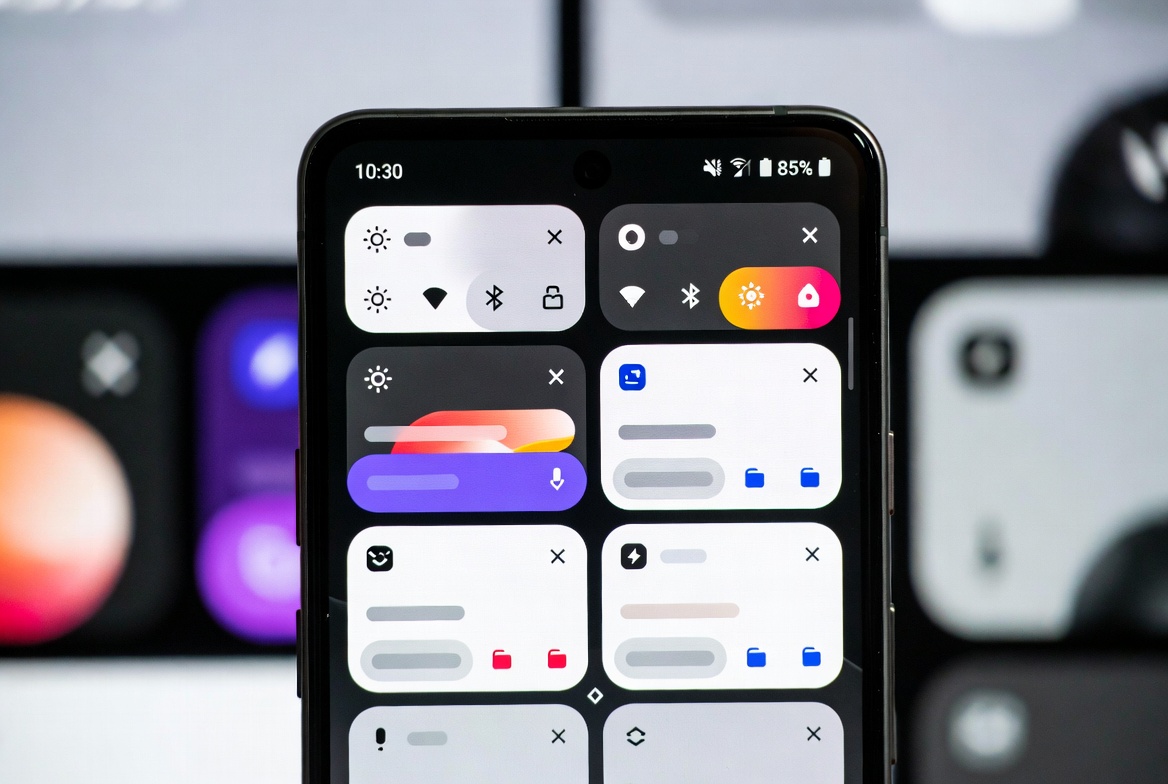 The new notification panel groups similar alerts and uses AI summaries to condense long chats
Live Updates: iOS Had This. Android Finally Does It Right
I’m not going to pretend this is original. iOS Live Activities has been around for a while, and manufacturers like Samsung (with Now Bar) and OPPO had their own versions. But the problem has always been fragmentation — the implementation was inconsistent, developer adoption was low, and the experience felt tacked on.
Android 16 bakes Live Updates directly into the OS notification architecture and provides proper APIs so developers can actually build for it without jumping through hoops. What this means in practice: you order food on any compatible delivery app, and the progress — pickup, in transit, arriving — lives on your lock screen and notification shade without you having to open the app every five minutes. Same with ride-hailing and navigation.
You won’t notice it working — until you go back to an older Android and realize how often you were opening apps just to check a status that should have come to you.
Predictive Back — Small Feature, Real Impact
The Predictive Back gesture might be the most underrated addition in this update. Before this, pressing the back button on Android was a minor act of faith. You’d press it and just hope the app sent you where you expected. Sometimes it did. Sometimes you ended up three screens back, or worse, at the home screen.
With Predictive Back, the system previews the destination screen before you commit to the navigation. A subtle peek at where you’re going. It sounds trivial but it eliminates those micro-frustrations that accumulate over a day of using your phone. Less accidental back-navigation, less retracing your steps through apps. Navigation becomes intentional rather than guesswork.
If you’re someone who bounces between apps constantly — and most of us do — this one adds up fast. Android’s back button used to feel like a guess. Now it feels like a decision.
Material 3 Expressive: The Visual Overhaul Android Deserved
Android has looked fine for a while. Nothing egregious, nothing exciting. Material 3 Expressive changes that in a way that’s harder to describe in a spec sheet because it’s felt more than read.
The redesign introduces more dynamic colour theming, punchier animations, refined typography, and — this is the part I care about — better haptic feedback across the OS. The Quick Settings panel has been reworked: tiles can now be resized to 1×1 or 2×1 shapes, so you can fit more on a single page without the bloated two-row layout that wasted space before. There’s also a multi-action tile system — the Bluetooth tile, for example, now lets you toggle it with one tap and expand to manage devices with another. That’s how it always should have worked.
The small animations throughout the UI are more bouncy and organic — notifications get a rubber-band dismiss effect, the lock screen feels alive in a way earlier Android never quite managed. It doesn’t make your phone faster. But it makes your phone feel faster, which on a day-to-day basis is what actually matters. I wrote about this exact psychology when discussing how to make Android feel fast again — perception is everything.
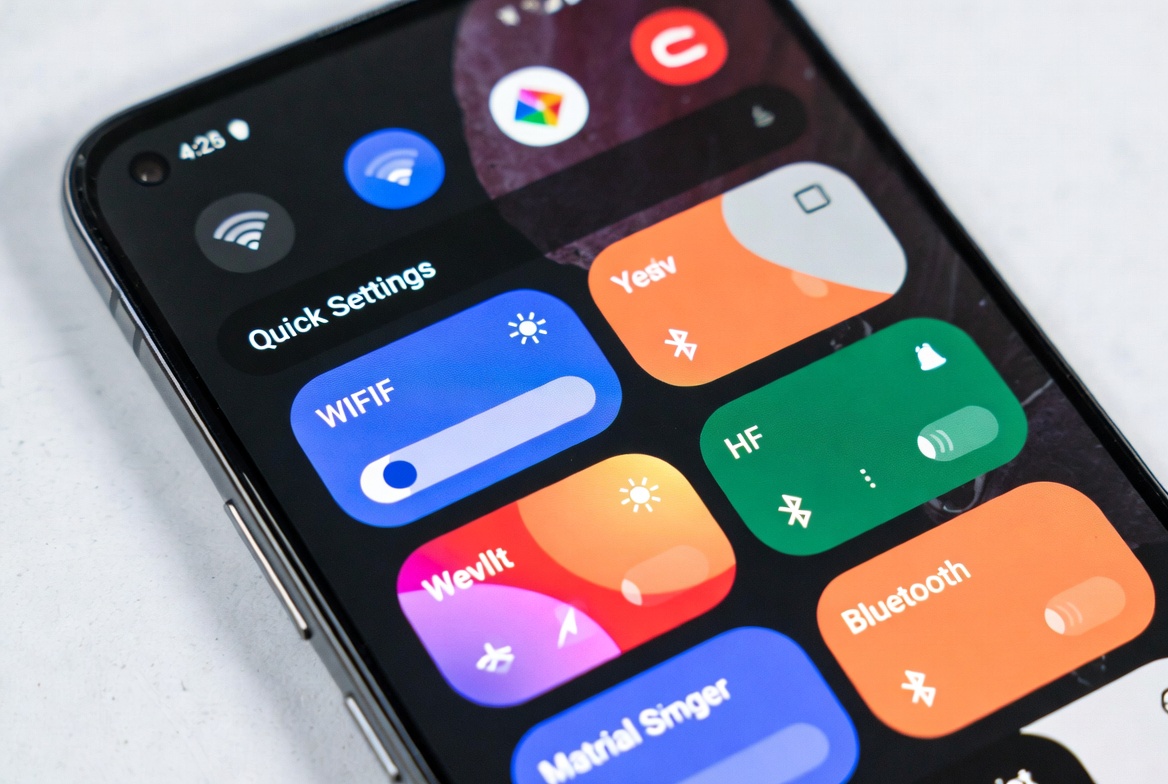 Material 3 Expressive brings more personality to the UI — the Quick Settings alone are a significant improvement
Advanced Protection Mode: Security That Doesn’t Baby You
Android 16 introduces Advanced Protection, and unlike some “security features” that mostly just add annoying extra steps, this one is thoughtfully built. It locks down sensitive settings behind biometric authentication when you’re outside trusted locations, guards against malicious sideloaded apps, and provides stronger defenses against scam calls and phishing.
The framing Google used — “whether you’re a public figure or just someone who prioritizes security” — is accurate. This isn’t a feature only journalists or politicians need. Anyone who’s dealt with a compromised account or a SIM-swap attempt knows how quickly things can escalate. Advanced Protection doesn’t make your phone bulletproof, but it raises the cost of a successful attack considerably.
Worth enabling. And if you haven’t had a security incident yet — good. Don’t wait for one to take this seriously.
Adaptive Refresh Rate Improvements and What They Mean for Battery
The refresh rate management in Android 16 got smarter. The system now adjusts more aggressively and accurately based on what content you’re actually viewing — static reading versus scrolling versus video playback. On high refresh rate displays (90Hz, 120Hz), this means the screen isn’t burning power maintaining a high rate when you don’t need it.
For mid-range phones especially, this matters. I’ve written before about why 8GB RAM phones still lag in 2026, and one of the compounding factors is inefficient power management forcing trade-offs between performance and battery life. Android 16’s refresh rate handling is one piece of a broader system-level efficiency story. You won’t see the effect in a single afternoon, but across a full day of use, it contributes.
Desktop Windowing for Tablets and Foldables
This one won’t affect most people reading this — not yet. But if you use a tablet or foldable regularly, Android 16’s desktop windowing is significant. You can now open multiple apps in resizable, overlapping windows on large-screen devices, similar to Samsung DeX or ChromeOS.
Google worked directly with Samsung to build this into the platform rather than leaving it as an OEM addition, which means it should be more consistent across devices going forward. Apps that previously forced portrait orientation or refused to resize properly on large screens are also being phased out — Android 16 starts ignoring orientation restrictions on large-screen devices, and Android 17 will make that mandatory.
For anyone considering a foldable as a productivity device, this update makes the argument considerably stronger.
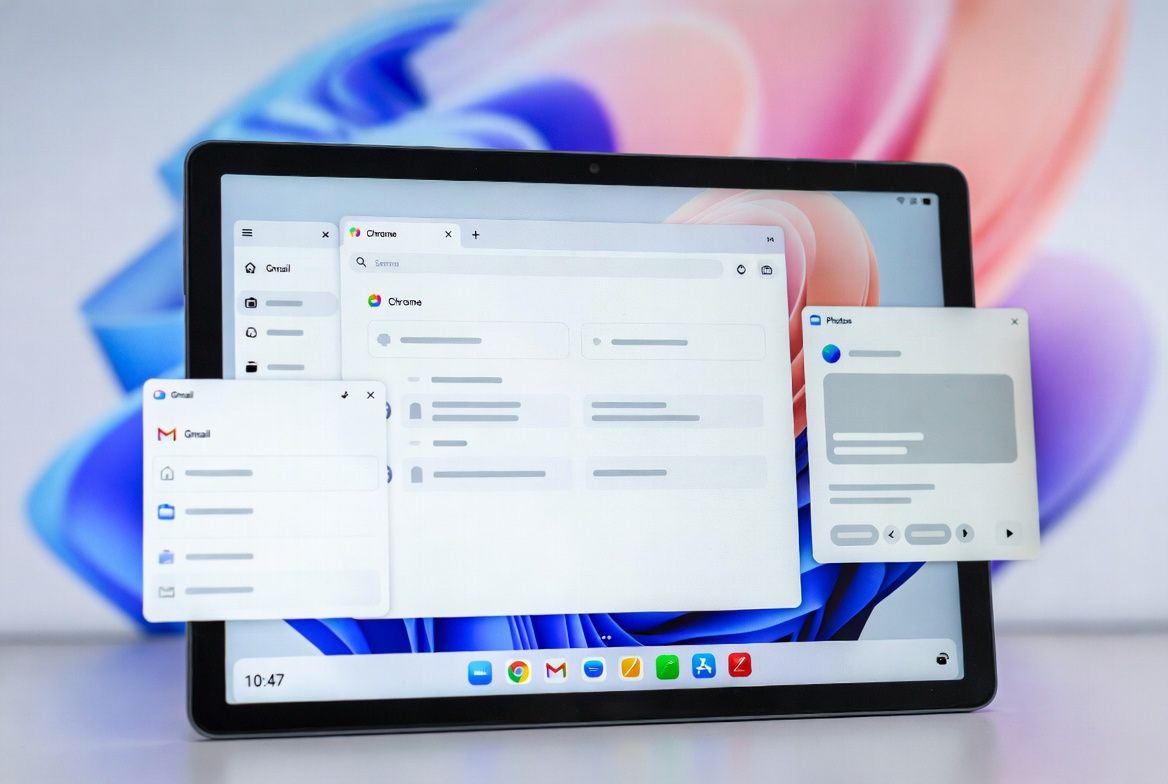 Desktop windowing finally makes tablets feel like they’re earning their price tag
Feature Comparison: Android 15 vs Android 16
| Feature | Android 15 | Android 16 |
|---|---|---|
| Notification Grouping | Optional (app developer choice) | Automatic, OS-level |
| Notification Cooldown | Pixel-only (March 2025 drop) | All Android 16 devices |
| Live Updates / Progress Notifications | Not available | Full API support |
| Predictive Back Gesture | Partial / Opt-in | Refined, widely available |
| Material Design | Material You (stable) | Material 3 Expressive |
| Desktop Windowing | OEM-specific (DeX, etc.) | Native Android platform |
| Advanced Protection | Basic security modes | Full Advanced Protection Mode |
| Refresh Rate Management | Standard adaptive | Improved content-aware adaptation |
Which Devices Are Getting Android 16?
| Brand | Eligible Models | Expected Timeline |
|---|---|---|
| Google Pixel | Pixel 6 series and newer | June 2025 (already live) |
| Samsung | Galaxy S22–S26, Z Fold 4–7, A54/A55/A56 | One UI 8 — mid to late 2025 |
| OnePlus | OnePlus 11, 12, 13, Nord 3/CE, Open | OxygenOS 16 — late 2025 |
| Xiaomi | Select Mi, Redmi Note, and Poco flagships | HyperOS update — late 2025–early 2026 |
| Realme | GT and Number series flagships | Early 2026 |
| Tecno / Infinix | Upper mid-range and flagship tier | Mid 2026 |
If you’re on a mid-range phone wondering whether your device qualifies, the best move is checking your manufacturer’s update tracker or reaching out directly. As I reviewed in my Pixel 10 vs Galaxy S26 breakdown, flagship devices on both sides are well-positioned for Android 16 longevity.
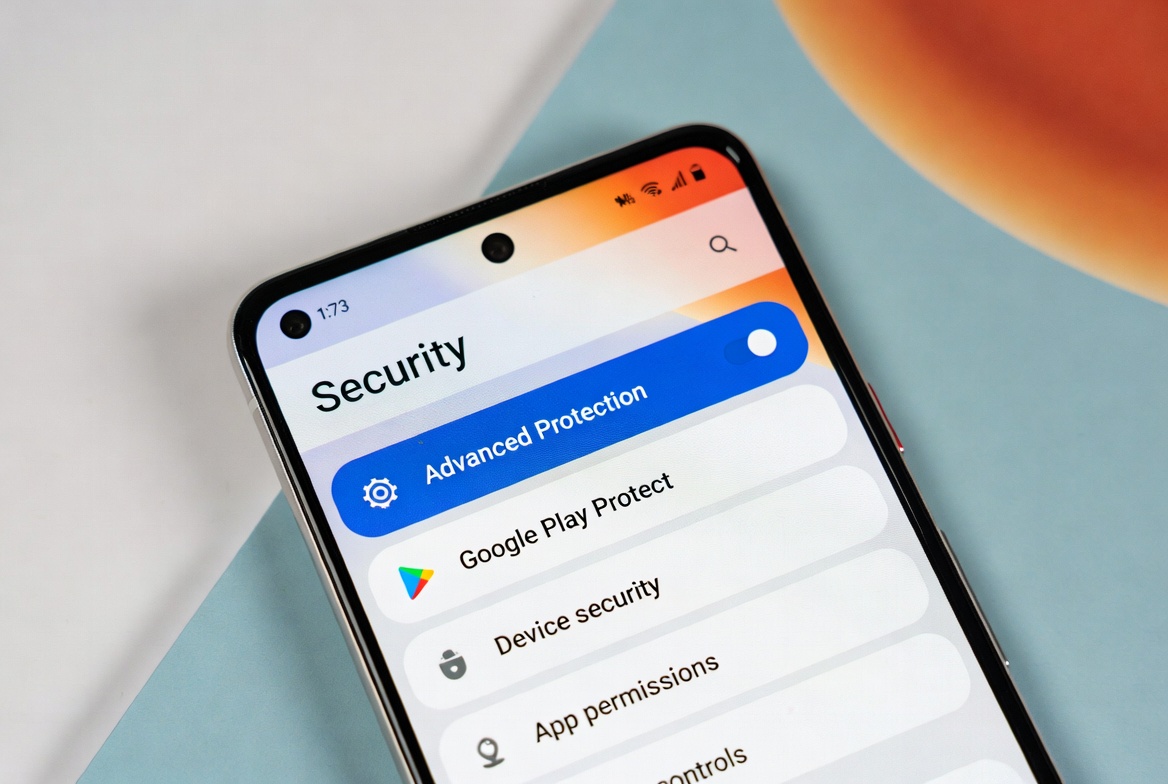 Advanced Protection Mode in Android 16 — not just for politicians and journalists, useful for anyone serious about security
What Android 16 Doesn’t Fix
I’d be doing you a disservice if I only talked about what works. There are things Android 16 doesn’t solve.
Bloatware from manufacturers is still your problem. Google makes Android 16 clean — what Samsung, Transsion, or Xiaomi layer on top is entirely their call. Android 16 won’t remove the 12 pre-installed apps your carrier decided you need.
App optimization is still uneven. The OS can only do so much when third-party apps are poorly coded. I covered why Xiaomi phones sometimes feel inconsistent under load — hardware durability is one factor, but software-level app optimization is another conversation entirely, and Android 16 can’t solve bad app development.
Update delays from non-Pixel manufacturers remain frustrating. If you’re on a mid-range device from a brand with a slow update track record, you might be waiting into 2026 for an experience that Pixel users have had since June 2025. That gap is narrowing slowly, but it’s still real.
Frequently Asked Questions
Does Android 16 work on older phones? Android 16 supports devices from Android 10 era hardware and above, but actual rollout depends entirely on your manufacturer. Older devices may receive the update but not all features — hardware limitations affect things like adaptive refresh rate improvements and desktop windowing.
Is Android 16 available for Samsung phones yet? Yes. Samsung started rolling out One UI 8 (based on Android 16) to Galaxy S24 and S25 series in late 2025. The S22 and S23 series followed. Mid-range Galaxy A series devices started receiving it in early 2026, with some still rolling out as of April 2026.
Will Android 16 improve battery life on my phone? Indirectly, yes. The smarter adaptive refresh rate management and improved background app handling contribute to better battery efficiency. But don’t expect dramatic overnight gains — the improvements are cumulative and depend heavily on your specific device’s hardware and what apps you run.
What is Material 3 Expressive and do I need it? Material 3 Expressive is Google’s new design language for Android 16. It changes how the OS looks and feels — animations, colors, typography, Quick Settings. You don’t “need” it the way you need a security patch, but it makes the daily experience more pleasant. It’s the first Android visual refresh in a while that feels like a genuine upgrade rather than shuffling deck chairs.
Is Advanced Protection Mode safe to enable for everyday users? Yes, absolutely. Advanced Protection is built for anyone who wants stronger security, not just high-risk individuals. It adds biometric verification for sensitive settings and strengthens defenses against phishing and scam calls. The only friction is that some third-party apps may require additional verification steps — a small price for meaningful security.
Does Android 16 fix notification spam? It’s the most significant improvement Android has made to notifications in years. Between the Organizer, the Cooldown feature, and AI summaries, the notification experience is considerably less chaotic. It doesn’t give you per-app rate limiting the way some power users want, but for the average user, it’s a genuine quality of life improvement.
The Honest Take
Android 16 is not the revolution that the most enthusiastic coverage suggested it would be. But it’s also not the “humdrum” incremental update that the skeptics wrote it off as either. The truth, as always, lives in the middle.
What Google got right this cycle is targeting the parts of Android that have been subtly annoying for years — notifications, navigation, security defaults, and visual polish. These aren’t headline-grabbing features. Nobody is buying a new phone because of Notification Cooldown. But they’re the kind of improvements that stack up, day after day, until using Android feels noticeably better than it did before.
For most people, the features that will actually change your experience are the notification overhaul, Live Updates, Predictive Back, and Material 3 Expressive. Everything else is gravy — useful if you hit it, invisible if you don’t.
If your phone is eligible, update. Not urgently, but don’t keep delaying it either. The experience on the other side is worth it.
Read more: How to Make Your Android Feel Fast Again · Why 8GB RAM Phones Still Lag in 2026 · Pixel 10 vs Galaxy S26

Comments 0
Leave a comment