Table of Contents
Open Table of Contents
- How Much RAM Do You Really Need for Gaming?
- What RAM Actually Does in a Game
- The Real Numbers by Use Case
- The 8GB Problem in 2026
- Why 16GB Is the Sweet Spot Right Now
- When 32GB Makes Sense
- Laptop Gaming: The Numbers Shift
- RAM Speed: What Actually Matters
- The Questions People Don’t Ask Before Buying
- RAM Myths That Keep Tripping People Up
- FAQ
- The Real Takeaway
How Much RAM Do You Really Need for Gaming?
A friend asked me last week whether to go 16GB or 32GB for his new gaming build. He’d watched the benchmarks, read the specs, sat through three YouTube comparisons — and was still stuck.
Here’s the answer he needed: 16GB is the real baseline for gaming in 2026. 8GB will technically run some games, but you’ll feel the ceiling sooner than you expect. 32GB is overkill for pure gaming — unless you stream, edit, or keep a browser open with 40 tabs while you play.
That’s the summary. Now here’s why — and where the conventional wisdom breaks down.
What RAM Actually Does in a Game
Most people know RAM is memory. Fewer understand what it’s holding.
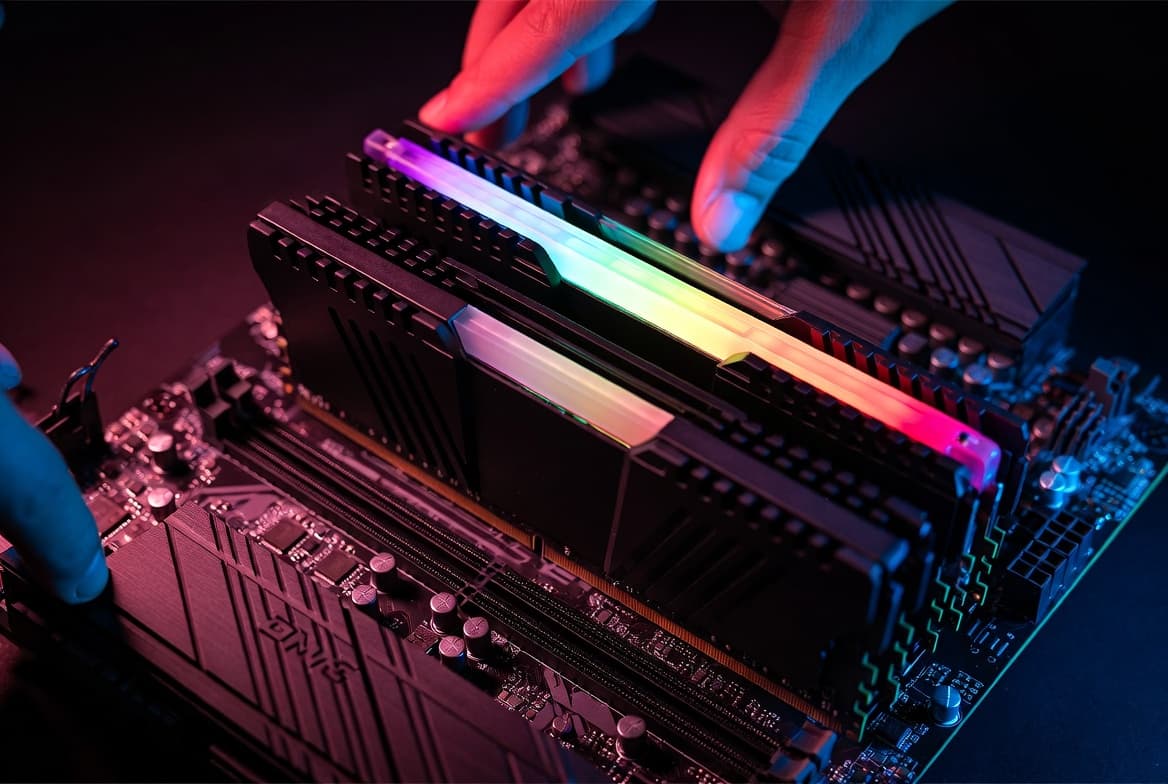
When a game loads, it pulls assets — textures, map geometry, audio, NPC data — from your storage drive into RAM so the CPU and GPU can access them quickly. The bigger and more complex the game, the more it wants to park in RAM at once. If RAM runs out, the system starts borrowing from storage via the page file. Storage is orders of magnitude slower than RAM. The result is stuttering, loading hitches, and frame drops that no graphics setting can fix.
RAM speed matters too — but capacity is the variable that bites people first.
The Real Numbers by Use Case
| Use Case | Minimum | Recommended | Future-Proof |
|---|---|---|---|
| Casual / older titles (Minecraft, Stardew, CS2) | 8GB | 16GB | 16GB |
| Modern AAA games (Black Myth: Wukong, Indiana Jones) | 16GB | 16GB | 32GB |
| Competitive FPS (Valorant, APEX, BGMI PC) | 8GB | 16GB | 16GB |
| Open-world RPGs (Elden Ring, GTA VI) | 16GB | 32GB | 32GB |
| Gaming + streaming simultaneously | 16GB | 32GB | 32GB |
| Gaming + video editing / 3D work | 32GB | 64GB | 64GB |
The “Future-Proof” column matters. Game engines keep getting greedier. Black Myth: Wukong shipped with heavy shader compilation that hammered RAM during its first few minutes of load. Indiana Jones and the Great Circle pushes high-res texture packs that comfortably consume 14–16GB under maximum settings. Microsoft Flight Simulator 2024 scales RAM usage visibly — more RAM, wider streaming radius, fewer pop-in events. These aren’t edge cases. They’re the direction games are heading.
The 8GB Problem in 2026
8GB was the gaming standard for years. It’s not anymore.
Modern Windows 11 idles at around 3–4GB with background processes running. Steam, Discord, a browser with a few tabs — add another 1.5GB easy. That leaves your game somewhere between 2.5GB and 4GB to work with. For lighter titles, fine. For anything built on Unreal Engine 5 or with dense open worlds? You’re going to feel it.
The specific symptoms: texture pop-in that doesn’t resolve, stutters during area transitions, frame pacing inconsistencies even when your average FPS looks fine. These aren’t GPU problems. They’re the system running out of room and doing emergency reads from your SSD.
Even NVMe storage — fast as it is — can’t paper over the gap. RAM runs at tens of GB/s. Even a top-end PCIe 5.0 SSD peaks around 14 GB/s sequential. Under the random read/write patterns of a live game, the difference is brutal.
Why 16GB Is the Sweet Spot Right Now
At 16GB, the constraints disappear for most scenarios. Windows takes its 3–4GB. Discord, browser, overlay software take their share. The game gets what it needs. You’re not watching your task manager and hoping.
Dual-channel matters here. Two 8GB sticks running in dual-channel outperform a single 16GB stick in most gaming benchmarks. The bandwidth roughly doubles. The gains show up most clearly in 1% lows — the frame-time floor that determines whether a game feels smooth or occasionally lurches — more so than in average FPS, which can look fine on paper while the experience feels inconsistent. If you’re buying 16GB, buy it as a 2×8GB kit — not a single module.
DDR5 vs DDR4: if you’re building new on Intel 13th gen or newer, or AMD Ryzen 7000+, you’re on DDR5 already and the platform locks you in. If you’re upgrading an older board, DDR4 at 3200–3600 MHz is still excellent. Don’t pay a premium for faster RAM than your CPU can actually use — there are diminishing returns past your platform’s sweet spot.
When 32GB Makes Sense
Pure gaming? 32GB is overkill today. But “pure gaming” is rarer than people admit.
If you game while streaming on OBS, 32GB removes a real bottleneck. OBS at 1080p60 pulls 1.5–2GB of RAM by itself, and it competes with your game for bandwidth. If you’ve ever had your game stutter exactly when OBS is encoding, you’ve felt this.
If you record footage to edit later, video editing software is RAM-hungry. Premiere Pro and DaVinci Resolve both recommend 32GB for HD timelines. Running them on 16GB works — until it doesn’t.
If you run multiple VMs, or do any kind of development work alongside gaming, 32GB is genuinely useful, not aspirational.
For the person whose entire PC life is gaming, the money almost always goes further on a faster GPU or a better display.
Laptop Gaming: The Numbers Shift
Gaming laptops complicate the conversation because RAM affects thermals and power draw in ways desktop builds don’t.
Most mid-range gaming laptops ship with 16GB in 2026 — and that’s appropriate. The GPU is usually the bottleneck on a laptop, not RAM. But there’s a catch: many laptops have soldered RAM with no upgrade path. If the base config ships with 8GB and can’t be upgraded, that’s a long-term problem in a way it wouldn’t be on a desktop.
Check the upgrade path before you buy. A laptop with 16GB soldered and no slots is a different proposition from one with 16GB in two upgradeable slots. The second machine grows with you. The first one doesn’t.
RAM Speed: What Actually Matters
Speed matters, but less than capacity for gaming specifically. The gains from DDR5-6000 over DDR5-4800 in most titles are real but measured in single-digit FPS differences. Capacity-related stuttering is a floor-and-ceiling problem — you notice it hard when you hit the wall and not at all when you don’t.
Where speed noticeably helps: AMD Ryzen processors. They use a shared memory controller that’s more sensitive to RAM frequency than Intel’s architecture. On a Ryzen 7000 or 9000 series build, RAM at EXPO/XMP-tuned speeds (6000 MT/s is commonly cited as the sweet spot for Ryzen 7000) provides meaningful real-world gains over slow RAM at the same capacity.
Enable XMP or EXPO in your BIOS. Out of the box, most systems run RAM at JEDEC base speeds — often significantly below what the sticks are rated for. That’s leaving performance you already paid for on the table.
The Questions People Don’t Ask Before Buying
Before you pick a RAM configuration, the more useful questions are:
- What games are you actually playing? A Valorant player and a Flight Simulator player have completely different needs.
- What else runs alongside your games? Streaming, editing, browsing — they all compete for the same pool.
- Can the RAM be upgraded later? On desktops, almost always yes. On laptops, often no.
- Is it running in dual-channel? Single-channel RAM is a common performance bottleneck that shows up nowhere in the spec sheet.
- Is XMP/EXPO enabled? Check your BIOS. Most pre-built PCs and laptops ship with it off.
RAM Myths That Keep Tripping People Up
“Windows is using all my RAM — I need more.”
This one deserves a proper answer because it causes real anxiety and unnecessary upgrades.
Windows intentionally uses available RAM as a cache. It preloads files, apps, and processes it thinks you might open next — so when you do, they load faster. That’s a feature, not a problem. The number you see in Task Manager under “In Use” is not the same as the number being denied to your game.
What matters is the “Available” and “Committed” figures. If Available RAM is consistently near zero while a game is running and your game is stuttering, that’s a real constraint. If you’re just looking at the idle desktop and seeing 8GB “in use,” that’s Windows doing its job.
The myth persists because “my RAM is full” sounds alarming. It isn’t — until your applications actually can’t get what they need.
“More RAM always means better performance.”
Past the point of sufficiency, no. A game that needs 12GB of RAM doesn’t run better on 64GB than on 16GB. The extra capacity sits completely idle. RAM doesn’t speed up operations — it just provides space. Once the space requirement is met, adding more space doesn’t accelerate anything.
“RAM brand doesn’t matter — a stick is a stick.”
Mostly true for capacity. Less true for stability at high speeds. Budget RAM kits often use lower-bin chips that struggle to hit rated XMP speeds reliably, causing crashes or forcing you to run below spec. For a budget build, it matters less. For a high-frequency Ryzen build where you’re pushing 6000 MT/s+, kit quality and chip binning are real variables.
FAQ
Q: Why does Windows show my RAM as almost full when nothing is open?
Windows uses spare RAM as a file and app cache — it’s preloading things it expects you to need. That’s by design and it’s a good thing. The number to watch isn’t total “In Use” — it’s “Available” RAM while your game is actually running. If Available is near zero and your game is stuttering, you have a real problem. If you’re just looking at the idle desktop, you don’t.
Q: Can I game on 8GB in 2026?
Yes — on lighter titles and older games. On modern AAA releases, 8GB will increasingly show you hitches and stutters that have nothing to do with your GPU or CPU. It’s functional, not comfortable.
Q: Do games actually use 32GB of RAM?
Some do. Microsoft Flight Simulator, the latest modded Skyrim builds, and a handful of other memory-heavy games will happily consume 24GB+. Most competitive and mid-size games won’t approach that. 32GB is mostly insurance and multitasking headroom for now.
Q: Does faster RAM make games run better?
It depends on the platform. On AMD Ryzen builds, meaningfully — yes. On Intel, the gains are smaller. Capacity constraints hurt more than speed deficits in most scenarios.
Q: Is a single 16GB stick the same as two 8GB sticks?
No. Two 8GB sticks in dual-channel provide roughly double the memory bandwidth of a single 16GB stick. For gaming, dual-channel is always preferred. The difference in some titles is 10–20% in frame rate and noticeably smoother frame pacing.
Q: Should I buy 16GB now and upgrade later?
If your motherboard has four DIMM slots and you’re tight on budget, buying 16GB as 2×8GB and planning a future upgrade to 2×16GB is a sound strategy. Just make sure the new sticks will match the existing ones, or replace all four at once for consistency.
Q: Does RAM matter more than the GPU for gaming?
The GPU is usually the primary performance limiter in gaming. But GPU performance is wasted when the system is stuttering because RAM is full. Think of GPU as your top-end ceiling and RAM as your floor — you don’t need to obsess over the ceiling when the floor keeps collapsing.
Q: Will 64GB of RAM make my game run faster?
Not in any meaningful way for gaming. Past 32GB, additional RAM sits idle during gaming sessions. The money is almost always better spent on a faster GPU, a better display, or storage.
The Real Takeaway
The answer isn’t a single spec. It’s a stack.
16GB in dual-channel, running at its rated speed with XMP enabled, in a system with a fast NVMe SSD and a capable GPU — that’s a gaming machine that isn’t constrained by memory in 2026. The games running today fit comfortably. The games releasing over the next two years will too.
32GB makes sense if your PC does double duty — gaming and content creation, streaming, heavy browsing. Not because games need it today, but because your total workload does.
8GB is a compromise you’ll feel. Maybe not on day one. But six months in, on the games you actually want to play, you’ll feel it.
Buy the RAM for what you actually do — not just the highest number you can afford, and not the lowest one that technically works.
Good RAM disappears into the background. Bad RAM makes itself known every few minutes.
For more on how hardware choices affect real performance, check out our breakdown of why 8GB RAM phones still lag in 2026 — the same principles apply, and the manufacturers making those choices are counting on you not knowing it.