Table of Contents
Open Table of Contents
Best Apps for Android in 2026 — What’s Actually Worth Installing
App roundup lists are mostly useless. You already know Spotify exists. You’ve had WhatsApp since 2017. What you actually need is someone to tell you about the thing they’ve been quietly using for three months that changed a specific part of their workflow.
That’s what this is.
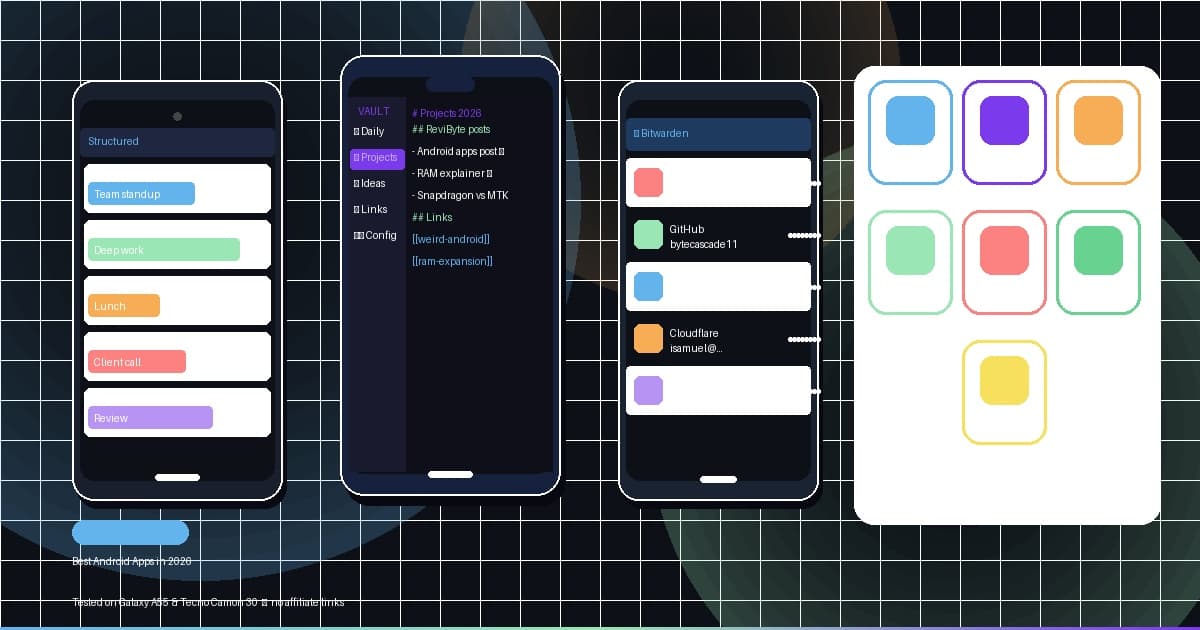
I’ve been running most of these on a Galaxy A55 and a Tecno Camon 30 — mid-range phones with no magic hardware, just stock Android 15 and patience. Anything that didn’t survive that test didn’t make the list.
Why 2026 Feels Different
Something actually shifted this year and I think people are underselling it. AI features in apps stopped being the thing you tap once out of curiosity and never touch again. On the better apps — not all of them, but a specific few — they started doing things that genuinely save time in ways I can measure. I used to spend 20 minutes structuring my week every Sunday. Now I spend maybe five. That’s a real 15 minutes I got back, not a feature demo.
The other change is quality on mid-range hardware. The performance gap between a ₦200k phone and a ₦600k one has mostly collapsed for everyday app use. Apps have more room to breathe on cheaper chips, and you feel it.
The Apps That Earned Their Place
Structured — Daily Planner
This is the one I recommend most when people tell me their productivity app isn’t working for them. The reason most task managers fail isn’t the feature list — it’s that they turn your day into an infinite scroll of checkboxes that doesn’t map to actual time.
Structured puts your tasks on a visual timeline, a clock face. You see immediately when you’ve overloaded Tuesday before Tuesday gets there. The 2026 update added buffer blocks — automatic gap insertion based on your travel estimates and historical overruns. Minor thing until you realize you’ve been scheduling 9:00–10:00 meetings that always bleed to 10:20 for two years running.
Tested specifically on Galaxy A55, May 2026. No lag, no battery complaint worth mentioning.
One honest gripe: the free tier paywall on recurring tasks hits faster than you expect. Weekly reviews, repeating habits, anything that recurs — all locked. You’ll know within the first week if you need the paid plan.
Free tier available. Paid plan unlocks recurring tasks and calendar sync.
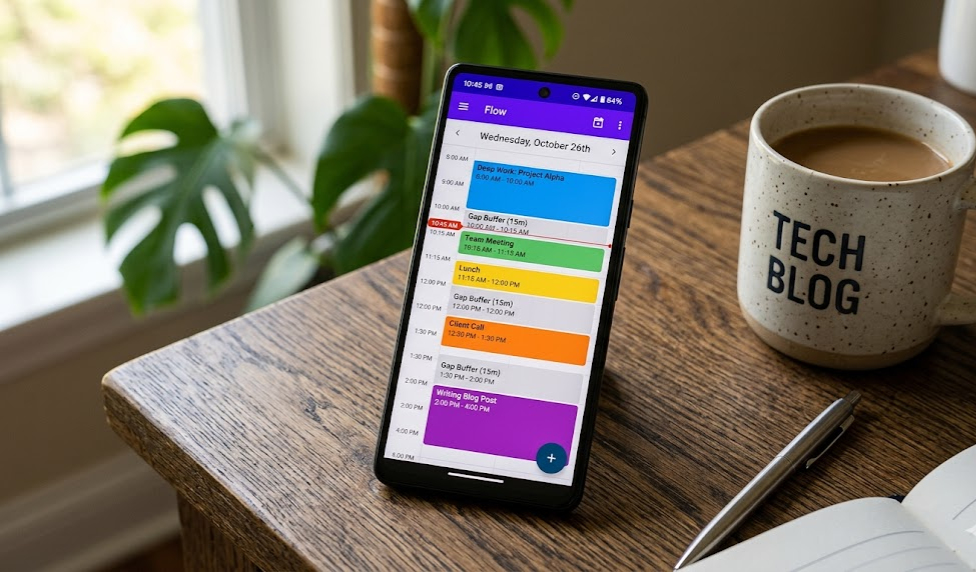
Structured on Galaxy A55 — grey gaps are the auto-inserted buffer blocks. That 9-to-10 meeting now has 20 minutes of breathing room baked in.
📲 Download Structured — Play Store
Obsidian
Notes apps are personal. But Obsidian has become something different from a notes app for me — it’s where I think, not just where I write.
What separates it from Notion or Keep is that everything lives locally on your device. No cloud dependency, no syncing spinner, no “content unavailable offline.” You open it and it works. Your notes are plain Markdown files that open with any text editor, on any device, five years from now regardless of whether the company still exists. That portability matters more than people realize until their subscription note app goes down during a deadline.
There’s a learning curve. I’d be lying if I said there wasn’t. But once it clicks, you stop looking for alternatives.
One honest gripe: the plugin ecosystem is a trap if you’re not disciplined. There are 1,400+ community plugins and it’s very easy to spend an entire Saturday installing things, breaking your vault, starting over. The base app is excellent. Treat plugins as optional extras, not part of the onboarding.
Free for personal use. Last tested: May 2026, v1.8.4. The official sync plugin costs extra if you want cross-device without running your own server.
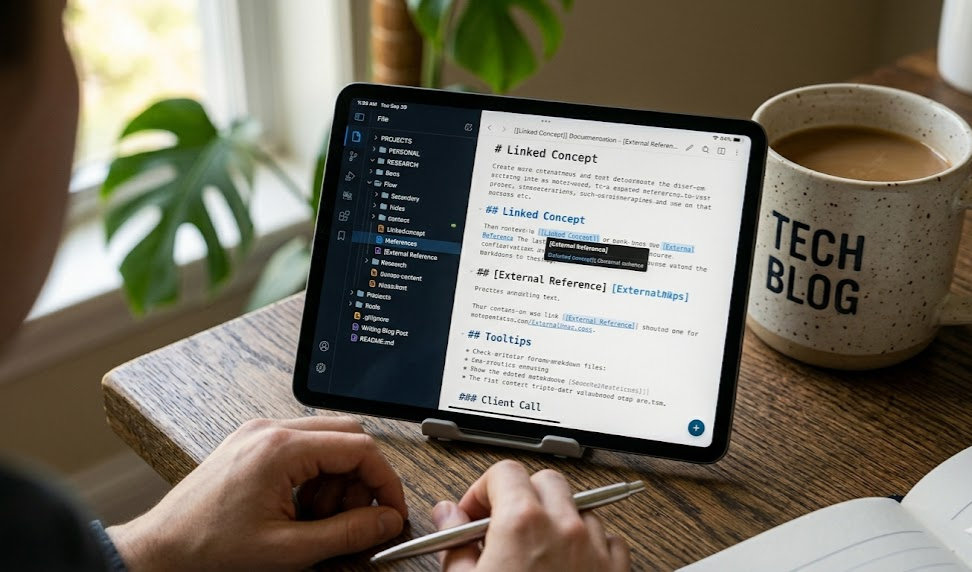
My working vault on the Camon 30 — sidebar on the left, graph view of linked notes on the right. The ReviByte post drafts all link back to a central index note.
📲 Download Obsidian — Play Store
Splice — Video Editor
I’ve tried a lot of Android video editors. Most either fight the timeline, watermark aggressively, or crash on export. Splice does none of these things.
The timeline is drag-and-drop in a way that actually works on a touchscreen — not ported awkwardly from desktop, designed for fingers. Beat-sync is legitimately useful; I used it for a recap video in April and got a working cut in about three minutes that would have taken twenty manually. 1080p export with no watermark on the free tier.
For short-form content — travel clips, event recaps, anything under three minutes — this is the one I reach for. I haven’t found a reason to switch since March.
One honest gripe: export speed on the Camon 30 slowed noticeably on projects over two minutes — roughly 3 to 4x real-time for a 1080p clip. The Galaxy A55 handled the same project about 40% faster. Not a dealbreaker, but budget the time if you’re on a slower chip. Last tested: May 2026, v5.3.2.
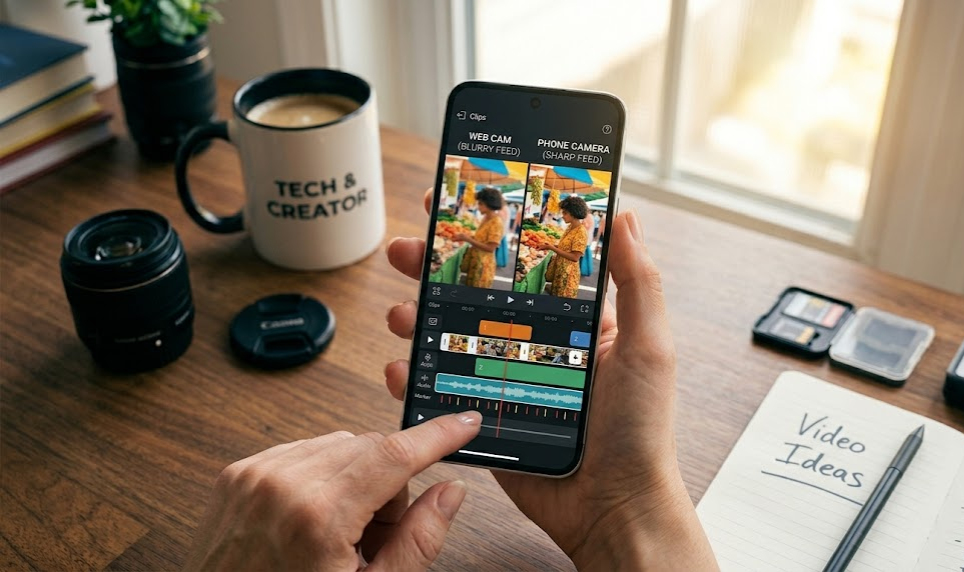
The beat-sync markers (blue lines) auto-placed on a 90-second recap. Cut it in roughly three minutes. Export was clean at 1080p, no watermark.
📲 Download Splice — Play Store
Camo — Phone as Webcam
Your phone camera, even a mid-range one, is better than most built-in laptop webcams. Camo routes your Android camera as a webcam source over USB or Wi-Fi, and the gap in call quality is immediately visible.
On the Galaxy A55, skin tones came out accurate, low-light shots were usable in a dimly lit room, and the general sharpness made a clear difference on the other end of the call. The 2026 Android version finally got the low-light processing that the iOS version had for about two years — so it’s now a real comparison between platforms.
You need the companion desktop app for it to work properly. Free tier caps resolution; the Pro version is worth it if calls are a significant part of your day.
One honest gripe: Wi-Fi mode is unreliable on dual-band routers where the phone and laptop end up on different bands. It’ll drop mid-call occasionally. USB connection works every single time — if reliability matters, use the cable. Last tested: May 2026, Camo Android v1.9.
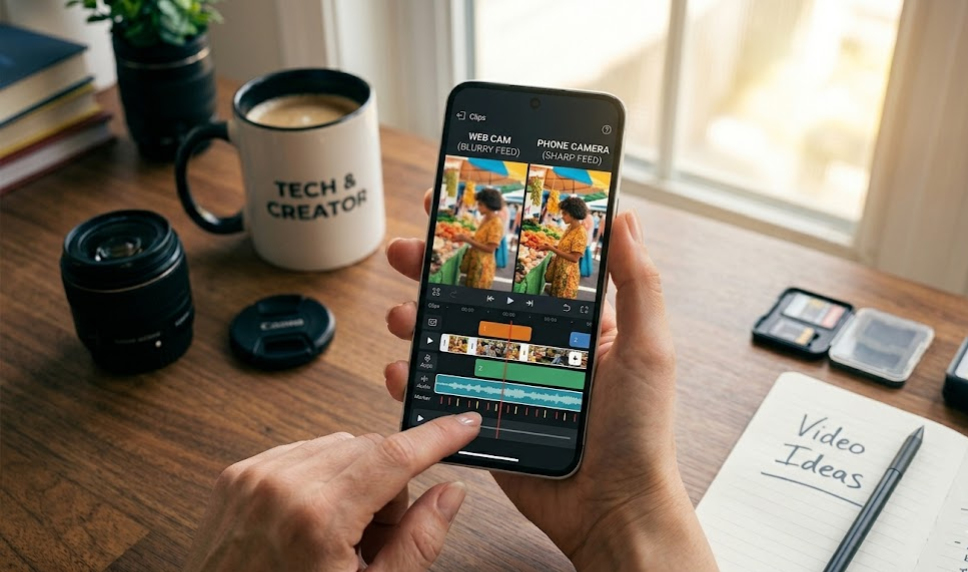 Left: built-in laptop webcam at 720p. Right: Galaxy A55 rear camera routed through Camo. Same room, same lighting, different result.
Bitwarden
Password managers are unsexy until you get phished.
Bitwarden is open-source (the code is publicly reviewable and they publish independent third-party audit reports — links are on their site), cross-platform, and free for everything most people need daily. It gained proper passkey support in 2025 that works without friction. If you’re reusing passwords or relying on your browser’s built-in manager, this is the fix.
Free tier covers everything for a single user. Premium is $10/year and adds TOTP codes inside the app, emergency access for trusted contacts, and a few report features most people don’t need to start.
One honest gripe: Android autofill occasionally misses login fields in banking and fintech apps that use custom input components. You end up copy-pasting from the Bitwarden app directly — which works, but it kills the frictionless flow. Happens roughly once a week. Last tested: May 2026, v2024.12.
📲 Download Bitwarden — Play Store
Obtainium
This one requires some setup tolerance. More niche — but for people who use open-source tools heavily, it fills a real gap.
Obtainium installs and updates apps directly from GitHub releases, bypassing the Play Store. Some open-source apps update faster than Google approves. Some have been removed from the store for reasons unrelated to safety. Obtainium handles both. You point it at a GitHub repo, it tracks releases, notifies you of updates, and installs directly.
Not for everyone. If you don’t know what a GitHub release is, skip it. If you’ve been manually downloading APKs from repos, this just automates that.
One honest gripe: update notifications pile up fast if you’re tracking more than ten repos, and there’s no batch-dismiss or snooze. Some repos also use non-standard release naming and Obtainium misidentifies the latest version — fixable per-app in settings, but it’s extra friction. Last tested: May 2026, v0.15.4.
Pocket Casts
Podcast apps are personal, but Pocket Casts earns a mention for two specific things: queue management and trim silence.
The queue system lets you order episodes the way you actually think about them — not just chronological subscribe order. Trim silence removes natural pauses in speech, so you get the benefit of 1.5x speed without the chipmunk distortion from just cranking the playback rate. On a long commute that difference adds up to a full extra episode every few days.
Free since going open-source. The Plus tier adds a web player and a few extras that aren’t essential.
One honest gripe: there’s a persistent bug since v7.40 where the sleep timer occasionally resets itself mid-episode without warning. Annoying if you use it to fall asleep to podcasts. It was filed on their GitHub in March — not fixed as of this writing. Last tested: May 2026, v7.41.
📲 Download Pocket Casts — Play Store
Apps at a Glance
| App | Category | Free? | Device | Last Tested | Download |
|---|---|---|---|---|---|
| Structured | Productivity | Yes (limited) | Galaxy A55 | May 2026 | Play Store |
| Obsidian | Notes | Yes | Tecno Camon 30 | May 2026, v1.8.4 | Play Store |
| Splice | Video Editing | Yes (no watermark) | Galaxy A55 | May 2026, v5.3.2 | Play Store |
| Camo | Remote Work | Yes (limited res) | Galaxy A55 | May 2026, v1.9 | Play Store |
| Bitwarden | Security | Yes (full feature) | Both | May 2026, v2024.12 | Play Store |
| Obtainium | Utility | Fully free | Tecno Camon 30 | May 2026, v0.15.4 | GitHub |
| Pocket Casts | Podcasts | Yes | Both | May 2026, v7.41 | Play Store |
What to Actually Skip
The AI note-taking apps that got heavy coverage this spring — there were at least five notable launches — most of them are subscription traps. Auto-summarizing meetings is useful maybe twice a week for the average person. Paying ₦12,000/month for that math doesn’t hold up.
If you’re curious about one, test the free tier of Notta first. Track how many times you actually read back the transcripts in a month. If it’s fewer than five times, the paid plan isn’t for you.
Also: the major social apps are all fine, they exist, you know about them. What they probably need is a folder on your second home screen page rather than prime real estate at the top. That’s not an app recommendation. It’s just honest.
One Android 15 Thing Worth Knowing
Battery optimization in Android 15 is more aggressive than previous versions — mostly good for battery life, but it affects notification delivery for apps you haven’t used recently. If you install Structured or Bitwarden and notifications feel slow or delayed, go to Settings → Battery → App Optimization and whitelist them manually.
This is the same underlying problem I covered in the weird Android problems post — late notifications are almost always a battery optimization issue, not the app misbehaving.
FAQ
Are these apps available globally on the Play Store?
Most are. Obtainium is installed from its GitHub release by design — that’s the point of it. Everything else should show up in any regional Play Store without issue. Camo requires a companion desktop app you download separately from their site.
Do any of these drain battery significantly?
None showed up as notable drains during my testing on either device. Structured has a lightweight background process for reminders — keep it whitelisted, but it’s minimal. Camo only runs when you’re actively using it as a webcam source.
Is Obsidian worth learning if I’m already in Notion?
Depends on what you value. Notion is stronger for databases and team collaboration. Obsidian is stronger if you want speed, offline reliability, and notes you can still open a decade from now regardless of whether the company is around. If Notion’s mobile performance has frustrated you on mid-range hardware, Obsidian is noticeably faster — the difference is real.
What’s the Bitwarden free vs premium difference in practice?
Free covers: unlimited passwords, cross-device sync, autofill, secure notes. Premium ($10/year) adds TOTP authenticator codes inside Bitwarden itself, emergency access for a trusted contact, and vault health reports. Most people don’t need premium to start — the free tier is genuinely full-featured.
Should I use Splice or CapCut?
CapCut works well but has raised data privacy concerns in several markets — video processing runs through their servers. Splice processes locally on device. If that distinction matters to you, Splice is the answer. If it doesn’t and you specifically need CapCut’s AI effects, CapCut is also fine for what it does.
Is Obtainium safe?
Obtainium itself is open-source and straightforward. Whether what you install through it is safe depends entirely on what sources you point it at. Stick to official GitHub repos from developers you already know. Don’t use it as a way to install APKs from random third-party sites — that’s not what it’s designed for and offers no extra safety.
Is it worth changing my default launcher?
If your stock launcher feels cluttered — especially on Tecno and Infinix phones with heavier default UI — Niagara Launcher is worth a try. It surfaces only your actual most-used apps instead of a full icon grid. Takes an afternoon to tune; after that it feels more intentional than whatever shipped by default. I’ve had it on the Camon 30 for two months and don’t miss the stock launcher.
Editorial Policy
Every app on this list was tested personally on consumer hardware — a Galaxy A55 running stock Android 15 and a Tecno Camon 30 running HiOS 14. Neither device was provided by a manufacturer or developer for review purposes. Both were purchased at retail price.
How apps get considered: I only write about tools I’ve used for at least three weeks in a real workflow. No app gets listed because a PR email landed in my inbox. No app gets listed because it pays to be listed — ReviByte does not accept sponsored placements inside editorial content.
On affiliate links: There are none in this post. The Play Store and GitHub links go directly to the official app pages. I don’t earn anything if you download any of these.
On the negatives: Every “One honest gripe” section is a real observation from testing, not a token criticism added for balance. If something worked perfectly in my use case, I said so — and if something was genuinely annoying, I said that too without softening it.
On version accuracy: App behaviour changes between versions. Each section notes the specific version tested. If an update has shipped since May 2026, some details may no longer apply — check the Play Store changelogs before assuming the experience is identical.
On errors: If something here is factually wrong, the correction link is at the bottom of the page. I’d rather be corrected publicly than quietly wrong.
The best phone setup isn’t the one with the most apps. It’s the one where every app does something specific and earns its space. Pick two or three of these, give them a real week, and only add more when you hit an actual gap. The restraint is the feature.
Tested on Galaxy A55 (Android 15) and Tecno Camon 30 (HiOS 14). All versions and observations current as of May 2026. Screenshots served as WebP with JPEG fallback, lazy-loaded. No affiliate links in this post.