Best 2-Finger vs 4-Finger Setup in CODM Season 4 2026 – Which One Actually Wins?
Let me be straight with you — this is a debate that never really dies in the CODM community. Every season someone asks it, and every season the answer gets buried under generic YouTube scripts and copy-pasted tier lists. So here’s my actual take, built from hours in ranked, TDM, Hardpoint, and S&D. No script. No filter.
I started with 2 fingers like almost everyone. Held it for way longer than I probably should have. Then I made the switch to 4-finger, adapted my sensitivity, and the game genuinely felt different. But here’s what nobody tells you — 4-finger isn’t automatically better for everyone, and 2-finger isn’t automatically a handicap. It depends on what you’re trying to do and how committed you are to the grind.
What Even Is the Difference?
Before we get into opinions, let’s clarify what we’re comparing.
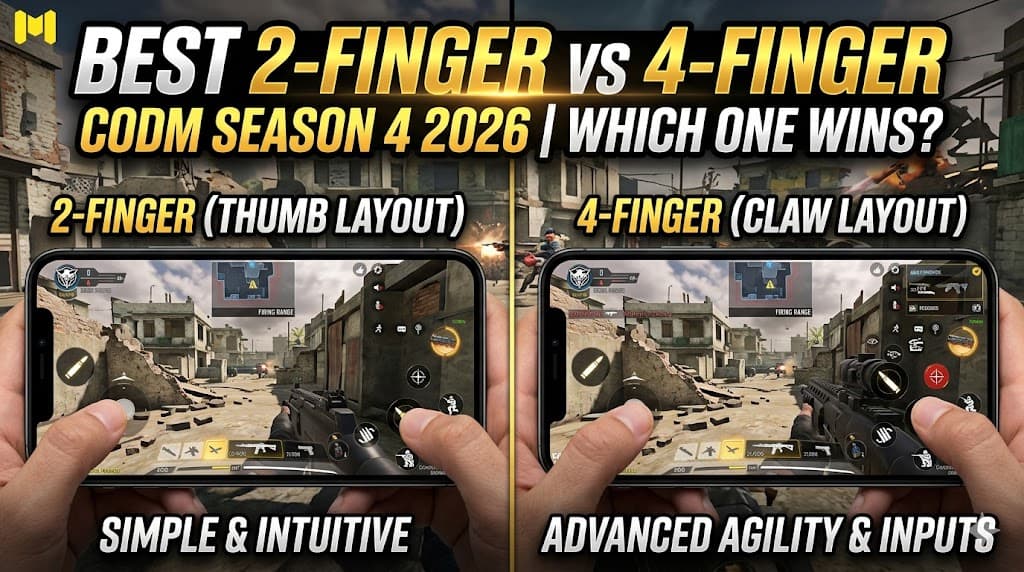
2-Finger (Thumb Layout): Both thumbs do everything. Left thumb controls movement joystick, right thumb handles the camera, aim, and fire. It’s the default way most players start. The phone rests naturally in both palms, and your thumbs take care of all inputs.
4-Finger (Claw Layout): You use both thumbs plus both index fingers. The index fingers handle fire buttons and scope buttons placed at the top edge of the screen, freeing your thumbs to move and aim simultaneously. This is the setup you see pro players and content creators running when they’re posting 30-kill highlights.
The core trade-off is simple: 4-finger gives you more simultaneous inputs, but it demands a completely different grip and a real adjustment period before it clicks.
My Honest Take on 2-Finger
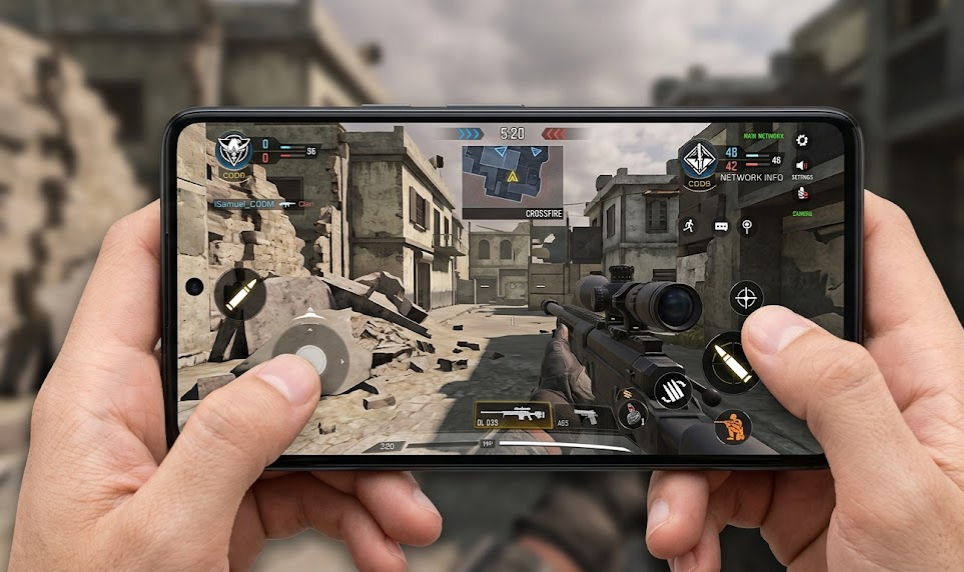
The two-finger layout gets a bad reputation it doesn’t entirely deserve. I’ve seen top 500 ranked players run 2-finger + gyro combinations that are honestly terrifying to play against. The gyroscope helps reduce some aiming limitations of 2-finger by improving micro-adjustments and tracking precision.
Where 2-finger genuinely struggles:
- Jump-shot combos — When your right thumb has to handle both camera and fire simultaneously, pulling off a smooth jump-shot while staying on target is awkward. You end up half-committing to one or the other.
- Strafe shooting — Moving while tracking a moving enemy is harder. Your right thumb can’t manage camera and fire at the same time the way a dedicated fire button placement solves for 4-finger.
- Spam-fire during movement — In modes like Hardpoint where you’re constantly pushing, stopping momentarily to fire properly becomes a habit you develop out of necessity, not strategy.
Where 2-finger actually holds its own:
- Sniping — Honestly, two-finger + gyro is incredibly solid for sniping. You’re not firing rapid bursts. You’re tracking, aligning, and pulling one clean shot. Gyro handles micro-adjustments beautifully in this context.
- Low-end or mid-range phones — If your phone doesn’t track 4 simultaneous touch inputs cleanly or lags with busy HUD layouts, 2-finger is far more stable.
- Casual and early ranked — Up through Legendary, two-finger players absolutely compete. The ceiling usually becomes noticeable once you start facing high Legendary and Top 5k players consistently.
My Honest Take on 4-Finger
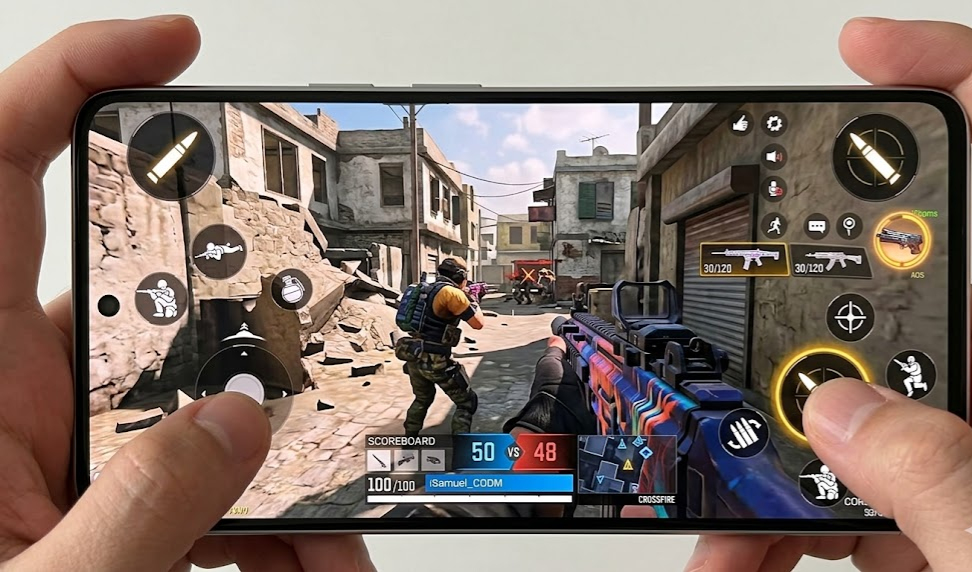
Four-finger changed my game. I won’t sugarcoat how the first week went — it was painful. My KD dropped, I was fumbling inputs, and I kept accidentally tapping buttons I didn’t mean to. That adjustment period is real and most guides gloss over it.
But once it clicked, the game felt more fluid in ways that are hard to articulate unless you’ve experienced it. Moving and shooting at the same time without breaking camera control is a genuine advantage in close-range fights. You can push, peek, and fire in the same motion rather than sequentially.
The real advantages of 4-finger:
- Fire and camera are decoupled. Your right thumb stays on the camera, and your right index pulls the trigger. This means no aim interruption when you fire.
- You can jump while shooting without losing crosshair placement.
- Peeking corners while already ADS’d and firing becomes natural over time.
- During ranked push — especially in modes like Hardpoint and Domination — the constant movement-while-shooting rhythm feels way more natural.
The honest downsides:
- The learning curve is real. Budget 7-10 days in TDM and Training Ground before taking it to ranked. Don’t let ego rush you into ranked while you’re still adapting.
- Claw grip is physically tiring on smaller phones. Your index fingers hovering near the top edge for extended sessions adds fatigue. If you’re playing 2-3 hour sessions, you’ll feel it.
- HUD layout matters a lot more with 4-finger. Placing buttons wrong means accidental touches constantly. You need to invest real time in HUD customization.
Sensitivity Setup — The Part Most People Skip
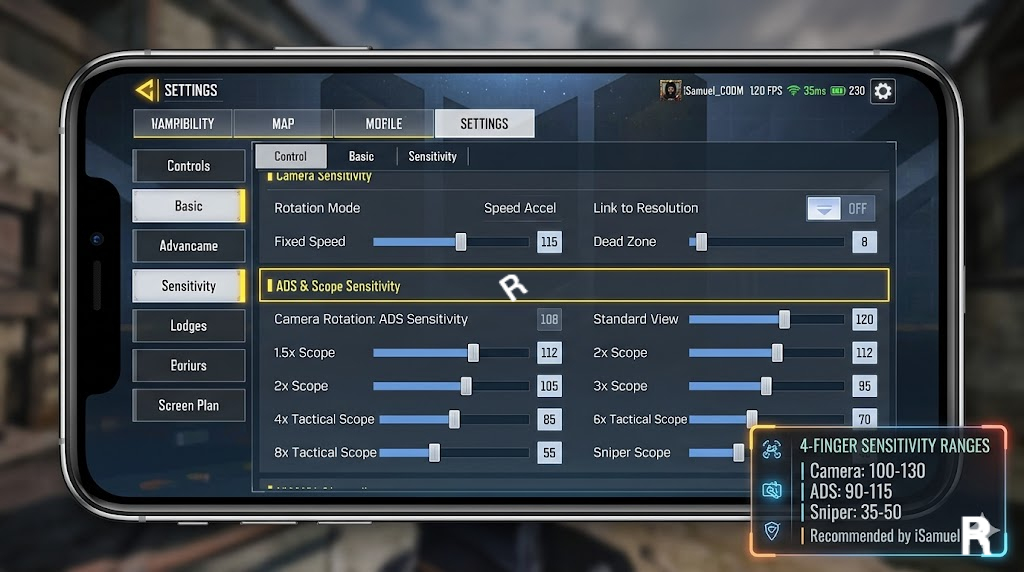
Here’s where I see players mess up constantly. They switch to 4-finger and keep their old 2-finger sensitivity. It doesn’t work. The decoupled camera-aim relationship changes how sensitivity feels entirely.
General sensitivity direction for 4-finger (no gyro):
- Camera sensitivity: slightly lower than 2-finger equivalent — you want controlled camera movement, not twitchy
- ADS sensitivity: scale down from camera by about 10–15% per scope tier
- Use a fire button size and placement that allows fast taps without blocking vision
General sensitivity direction for 2-finger + gyro:
- Gyro is your precision layer — set it active on ADS only for cleaner usage
- Camera can be slightly higher since gyro handles fine correction
- Avoid max gyro unless your phone is physically stable during play sessions
The rule I follow personally: test every sensitivity change in Training Ground for at least 20 minutes before touching ranked. Muscle memory is worth protecting. Don’t ruin a good ranked session chasing a sensitivity that hasn’t settled into your hands yet.
Head-to-Head Comparison
| Category | 2-Finger | 4-Finger |
|---|---|---|
| Learning Curve | Easy — beginner friendly | Steep — needs 7–10 days minimum |
| Movement + Fire Simultaneously | Difficult without gyro | Natural once muscle memory builds |
| Sniping Comfort | Excellent with gyro | Good, but index placement matters |
| Jump-Shot Execution | Awkward | Smooth and natural |
| HUD Setup Complexity | Simple | High — button placement is critical |
| Phone Compatibility | Works on all devices | May struggle on phones below 6-inch screens |
| Ranked Ceiling | Solid through high Legendary | Higher ceiling in top-ranked lobbies |
| Fatigue in Long Sessions | Low | Moderate — index fingers tire faster |
| Pro Player Adoption | Minority (mainly snipers) | Majority of top fraggers |
Which Mode Favors Which Setup?
| Game Mode | Recommended Setup |
|---|---|
| Ranked Multiplayer (general) | 4-Finger |
| Ranked S&D | 2-Finger + Gyro or 4-Finger |
| Hardpoint / Domination | 4-Finger |
| TDM / Kill Confirmed | Either — 4-finger gives edge |
| BR Ranked | 4-Finger or 2-Finger + Gyro |
| Quickscope Sniping | 2-Finger + Gyro |
| Long-Range Sniping | 2-Finger + Gyro |
| Aggressive SMG Rushing | 4-Finger |
Should You Try 3-Finger First?
Honestly, yes — and I wish more guides talked about this transition honestly. Most players jump straight from 2-finger to 4-finger because that’s what they see pros running. What they don’t see is how many of those same pros spent time on 3-finger first before the claw grip clicked.
Three-finger is essentially a bridge. You add one index finger — usually placed on a fire button at the top right corner — while keeping the left thumb on movement and the right thumb on camera. That single addition already unlocks jump-shots and strafe-firing without demanding the full claw grip that 4-finger requires. Your phone grip stays close to natural, fatigue is minimal, and the HUD adjustment is far less overwhelming than going full claw cold.
If you’re seriously considering the switch to 4-finger claw, spend two weeks on 3-finger first. Get comfortable with that extra input, rebuild muscle memory around having a dedicated fire finger, then add the fourth when 3-finger starts feeling limiting. That progression — 2 to 3 to 4 — is far smoother than skipping the middle step entirely. The players who burn out on the claw transition are almost always the ones who tried to go from thumbs-only to full 4-finger overnight.
My Final Verdict
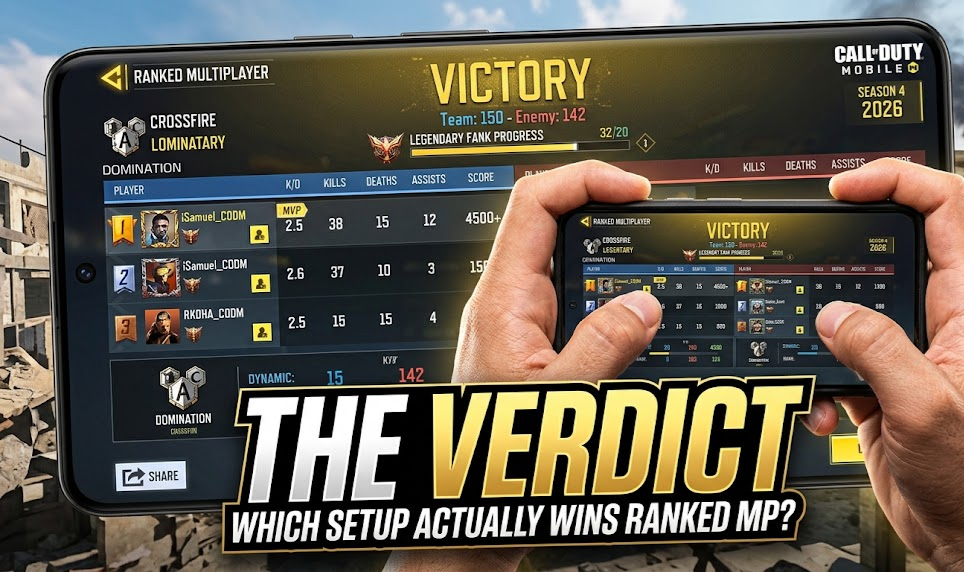
Here’s where I land after all the testing and ranked sessions:
If you’re below Legendary and your priority is consistency — stay on 2-finger. Polish your sensitivity, add gyro if your phone supports it cleanly, and focus on game sense, positioning, and loadouts. You don’t need 4-finger to reach Legendary. Plenty of strong players prove that every season.
If you’re pushing into top ranked and you want a ceiling increase — 4-finger is worth the investment. The simultaneous input advantage is real in high-pressure ranked engagements where every split second costs you the fight. The transition is painful for about a week, then the payoff is genuine.
If you main sniping — honestly, 2-finger plus gyro is arguably better for your specific use case. You’re not firing rapid bursts, you’re making precision movements, and gyro micro-adjustments beat any finger layout advantage for sniper-specific scenarios.
Don’t switch setups because some content creator told you 4-finger is the only way. Switch because you’ve hit a wall and you understand what the trade-off buys you. The best setup is the one your hands know so well you stop thinking about it.
FAQ
Q: Can I play ranked immediately after switching to 4-finger? No — and I’d genuinely advise against it. Your muscle memory from 2-finger will fight you constantly. Spend at least a week in TDM and Training Ground before taking 4-finger into any ranked match. Rushing it will cost you rank points and frustration.
Q: Is gyro worth adding to a 2-finger setup? Yes, if your phone supports it reliably. Gyro acts as a precision correction layer, which is especially powerful for sniping and close-range ADS fights. The key is setting it to activate on ADS only — always-on gyro during movement creates more problems than it solves.
Q: Does 4-finger work on smaller phones? It’s harder. Most players find 4-finger more comfortable on larger phones, especially devices with wider displays and enough space for top-corner controls. If your phone is on the smaller side, 3-finger is worth exploring as a middle ground before committing to full 4-finger.
Q: Should I copy a pro player’s sensitivity if I switch to 4-finger? Use it as a starting reference, not a final answer. Pro sensitivity codes are built around their specific device, grip style, and thousands of hours of muscle memory. Use a pro code as a baseline, spend time in Training Ground, and adjust based on how your specific setup responds. Copying without testing will make you feel like the sensitivity is broken.
Q: How long before 4-finger actually feels natural? Most consistent players start feeling basic comfort around day 5–7 of regular practice. Full naturalness — where inputs feel automatic rather than conscious — typically takes 2–3 weeks of regular play. Gyro integration on top of that takes longer. Don’t rush the timeline.
Q: What’s the biggest mistake players make when switching setups? Testing the new setup in ranked immediately. The worst environment to learn is a live competitive match with real stakes. Use Training Ground for sensitivity. Use TDM for reflex training. Enter ranked only when the setup feels like second nature, not when it feels like progress.




Comments 0
Leave a comment